
Interactive getting-started guide · Sample January 2026
From your first budget to your first month-end close.
Start with zero data. Add sample entries and watch totals and charts respond. This learning simulation explains the app’s screens and workflow; it is not the actual app. Do not enter private financial information. Nothing changes in Assetra, and refreshing this page resets the example.
01 / 14
With 1.0.1
Open a blank profile
First launch → Setup → Empty budget
Choose your language and base currency. This example uses English and USD. Home has no plan, payments or assets yet.
- Language: English
- Base currency: USD
- Start: Empty budget
How it looks in the app
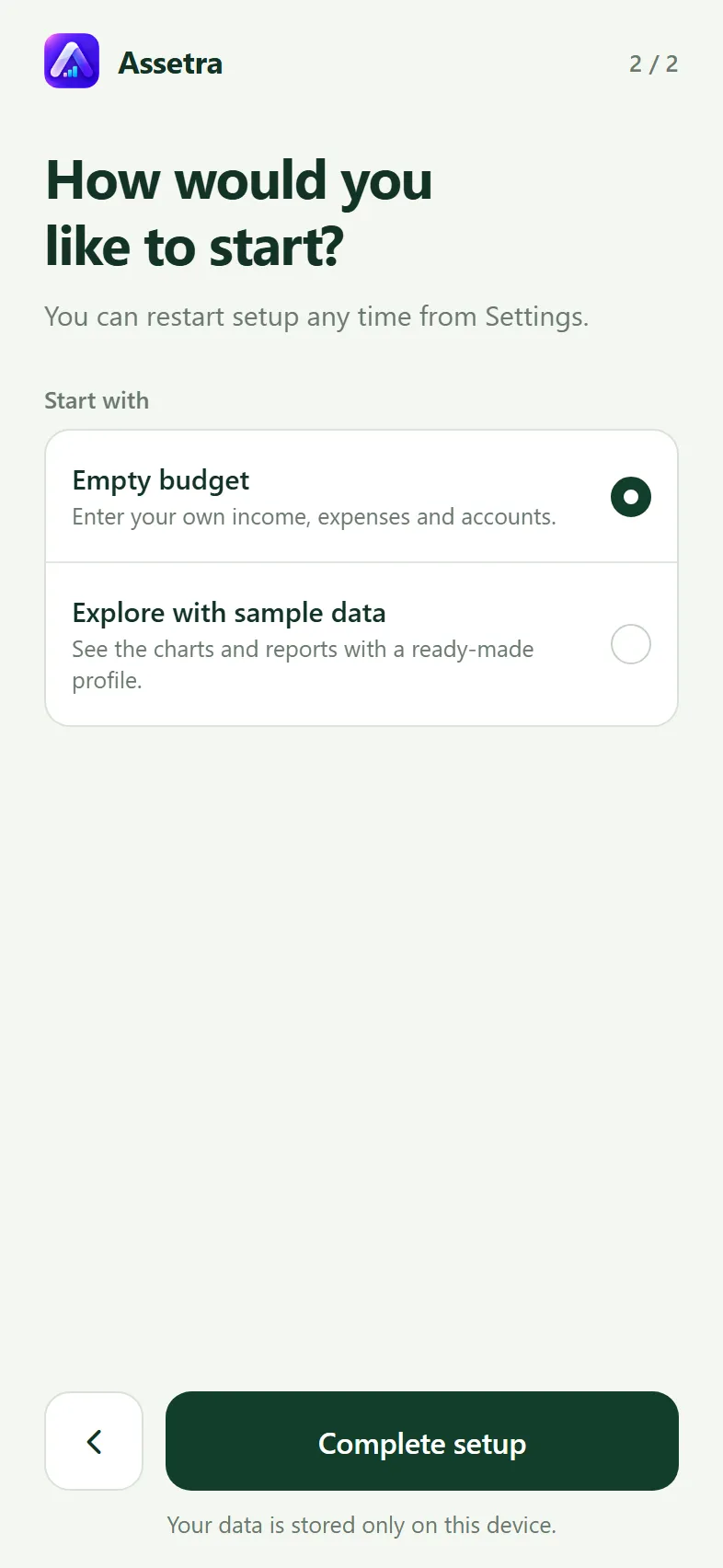
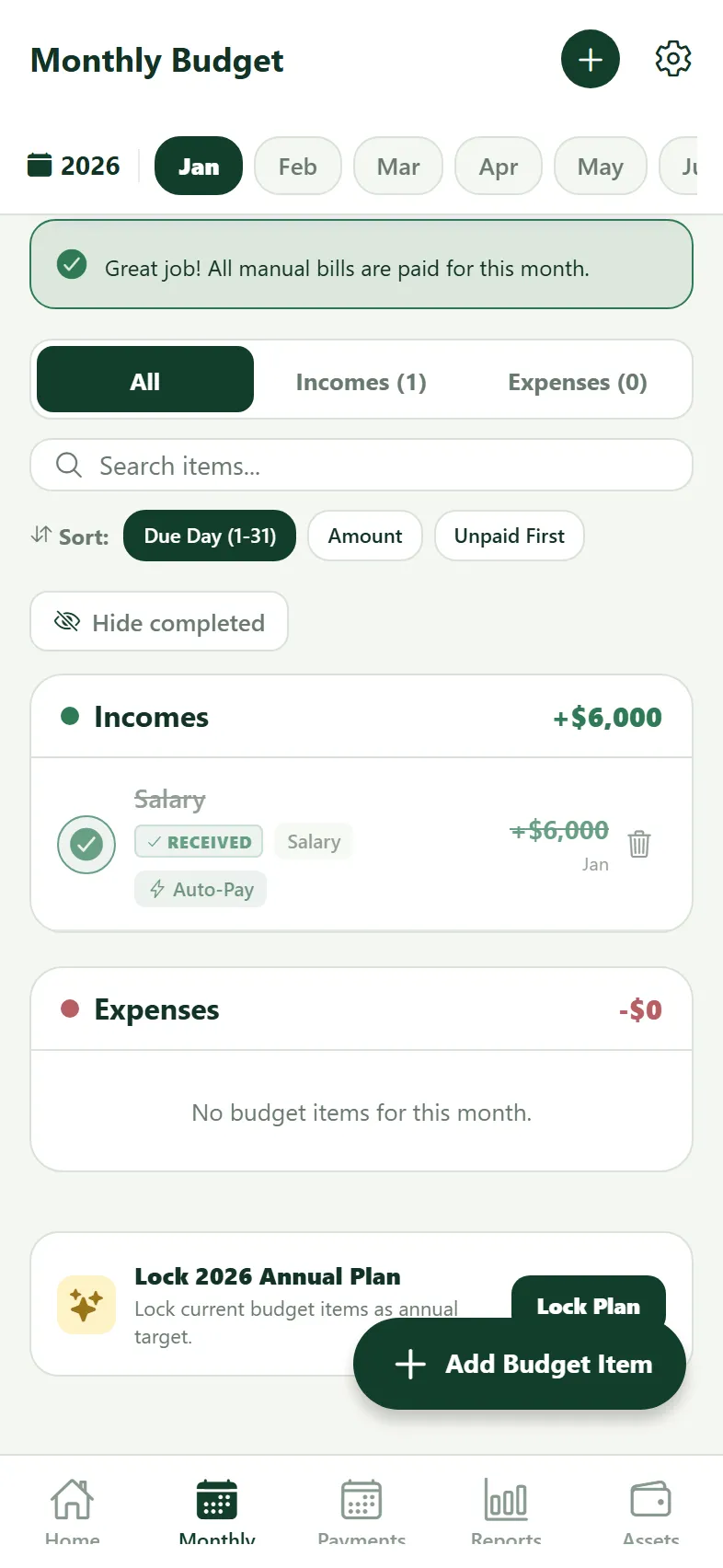
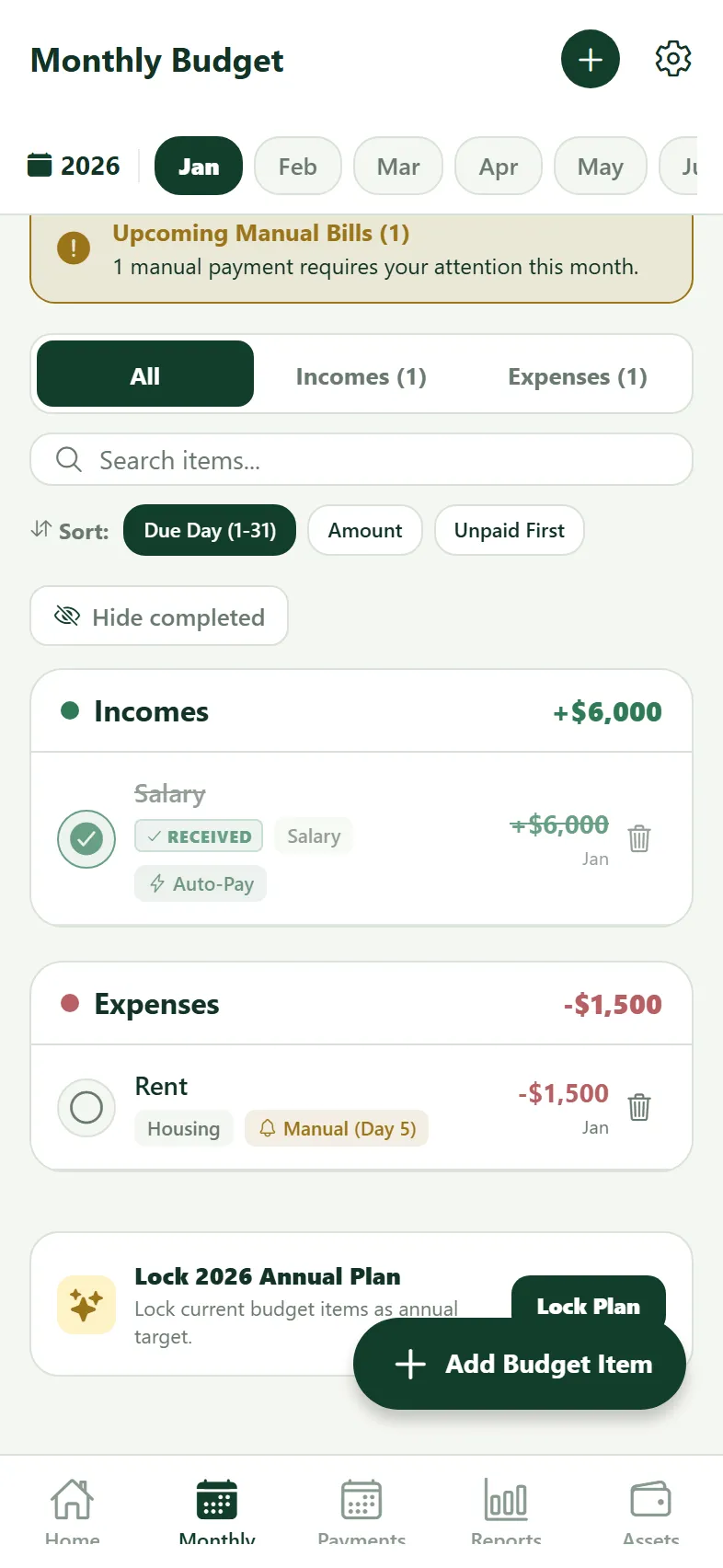
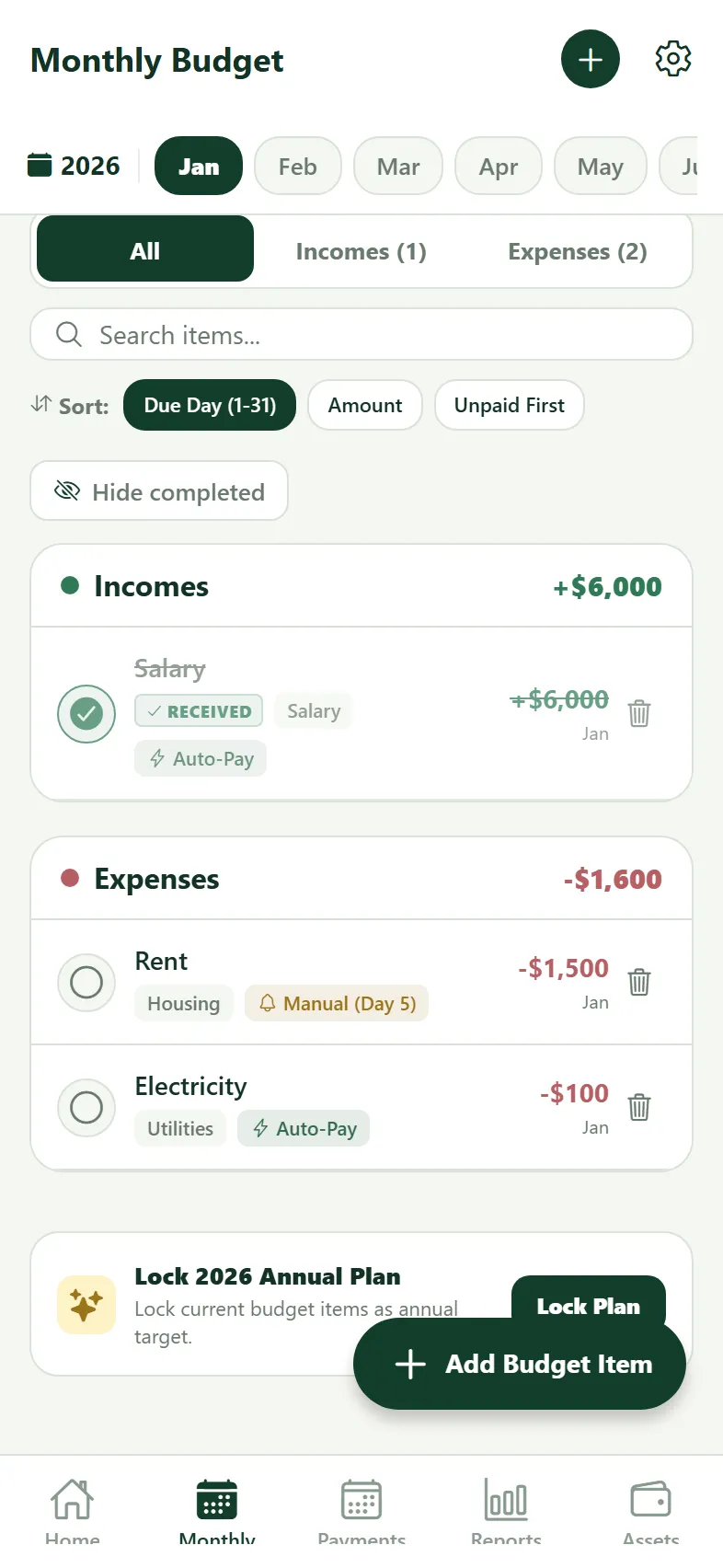
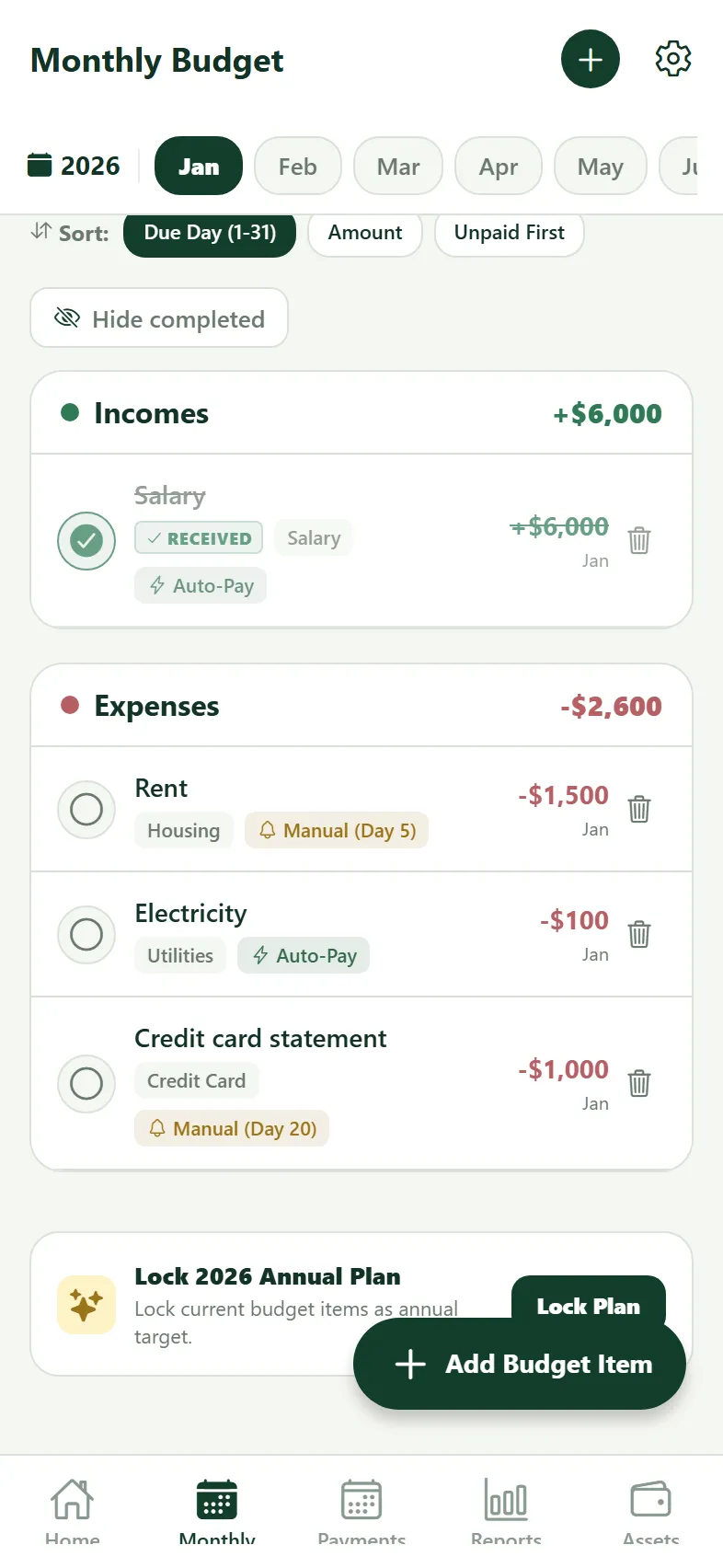
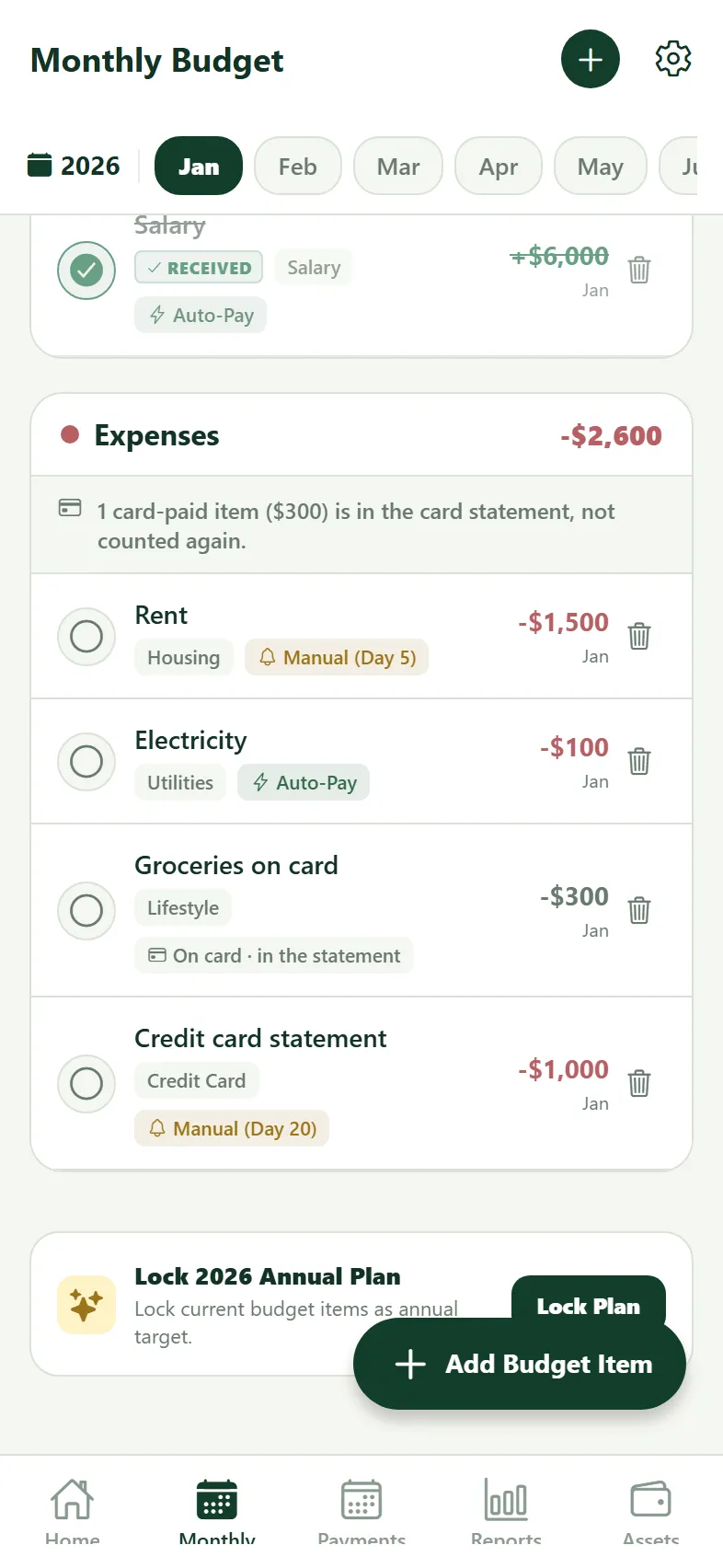
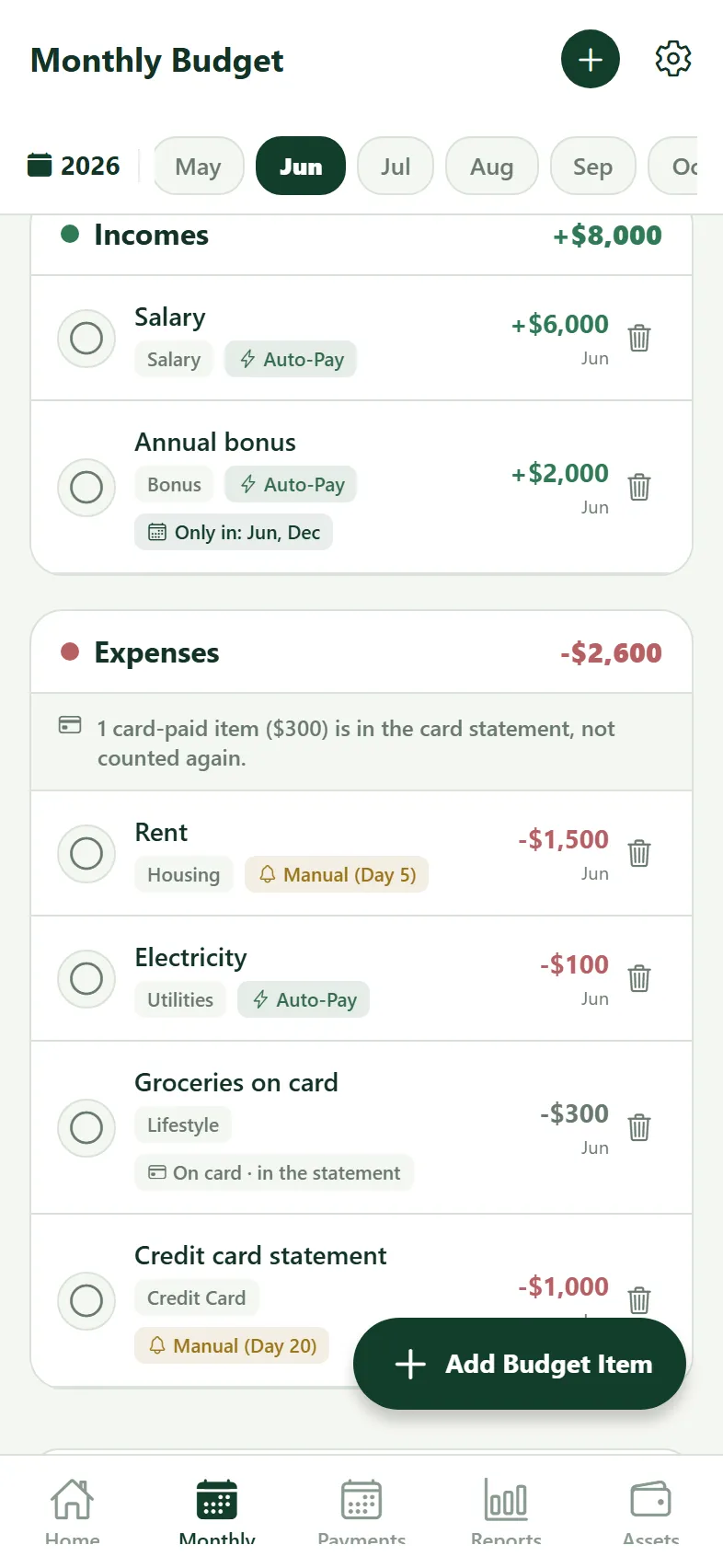
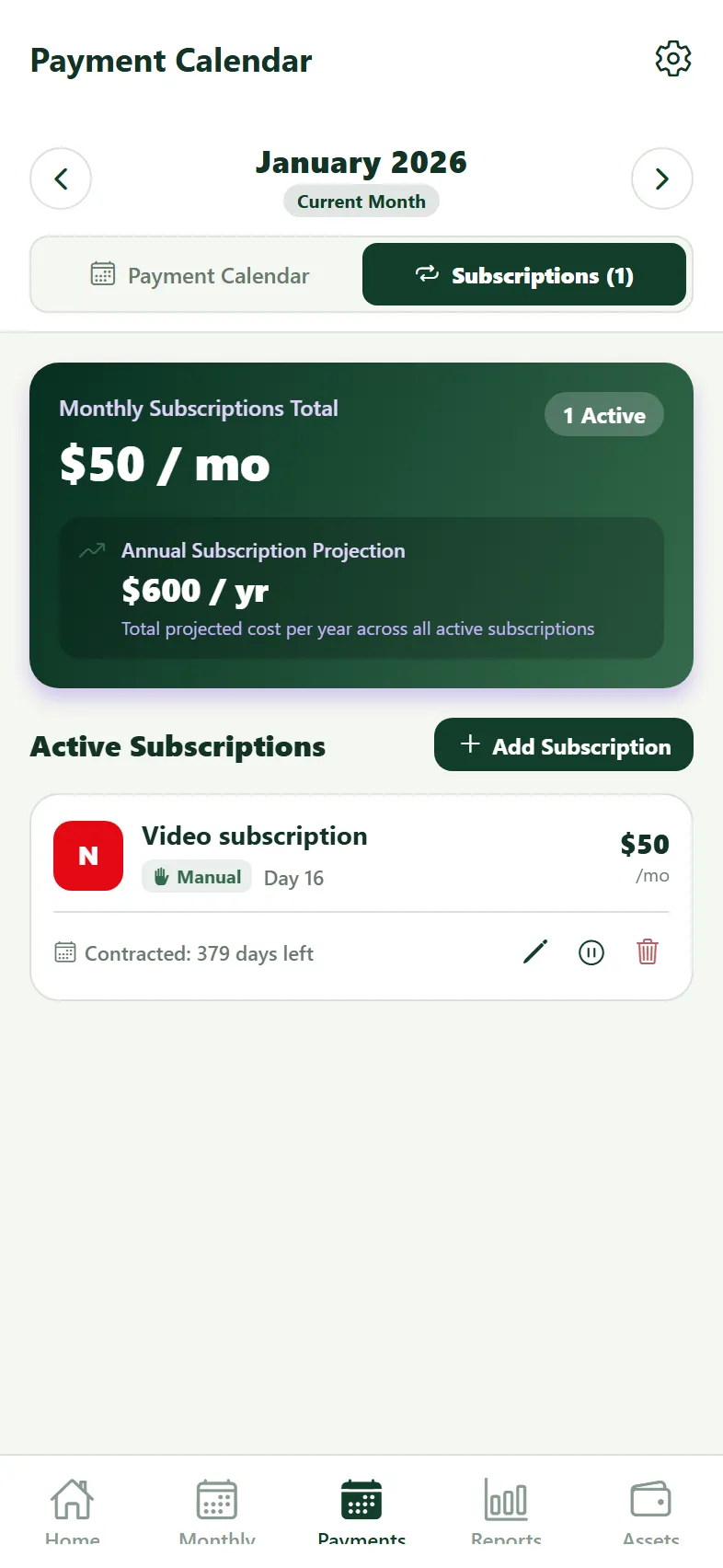
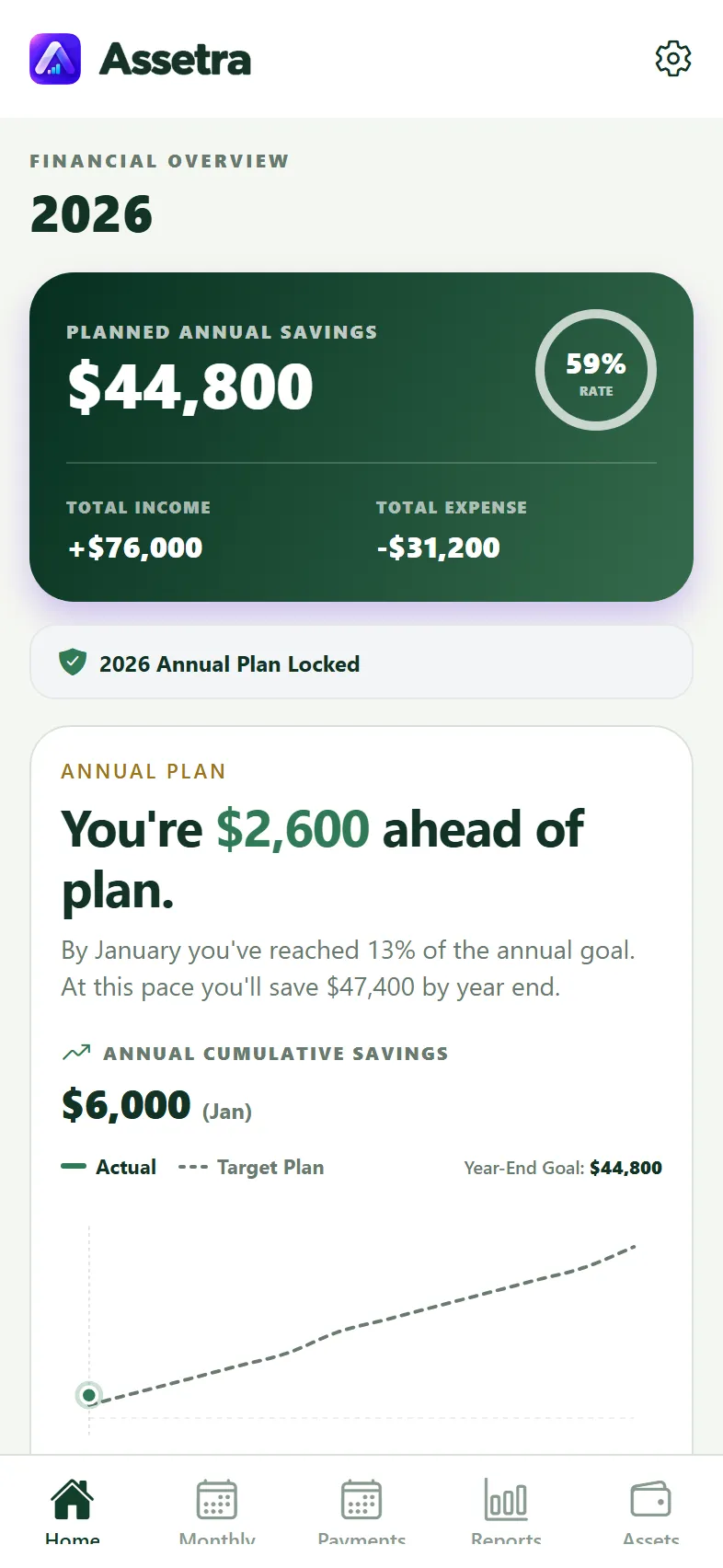
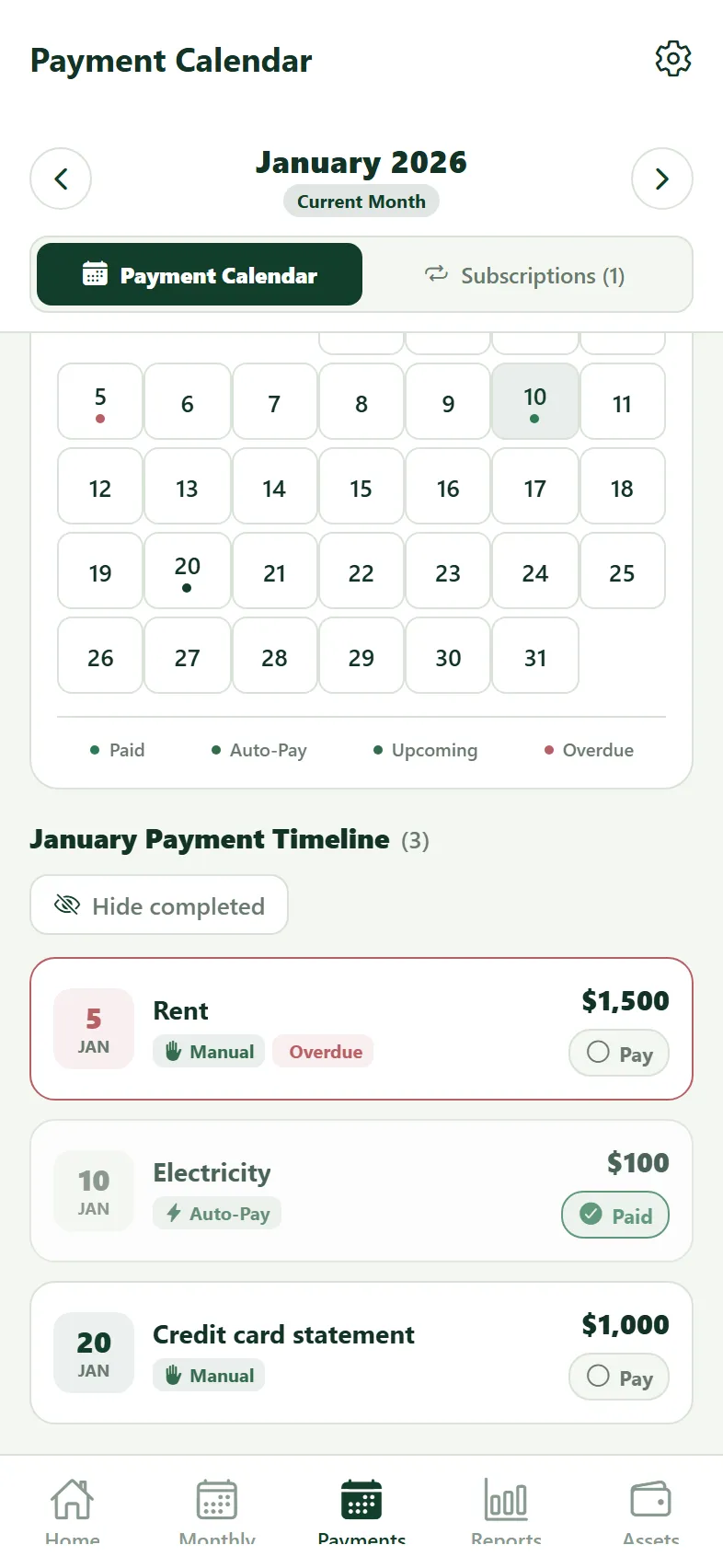
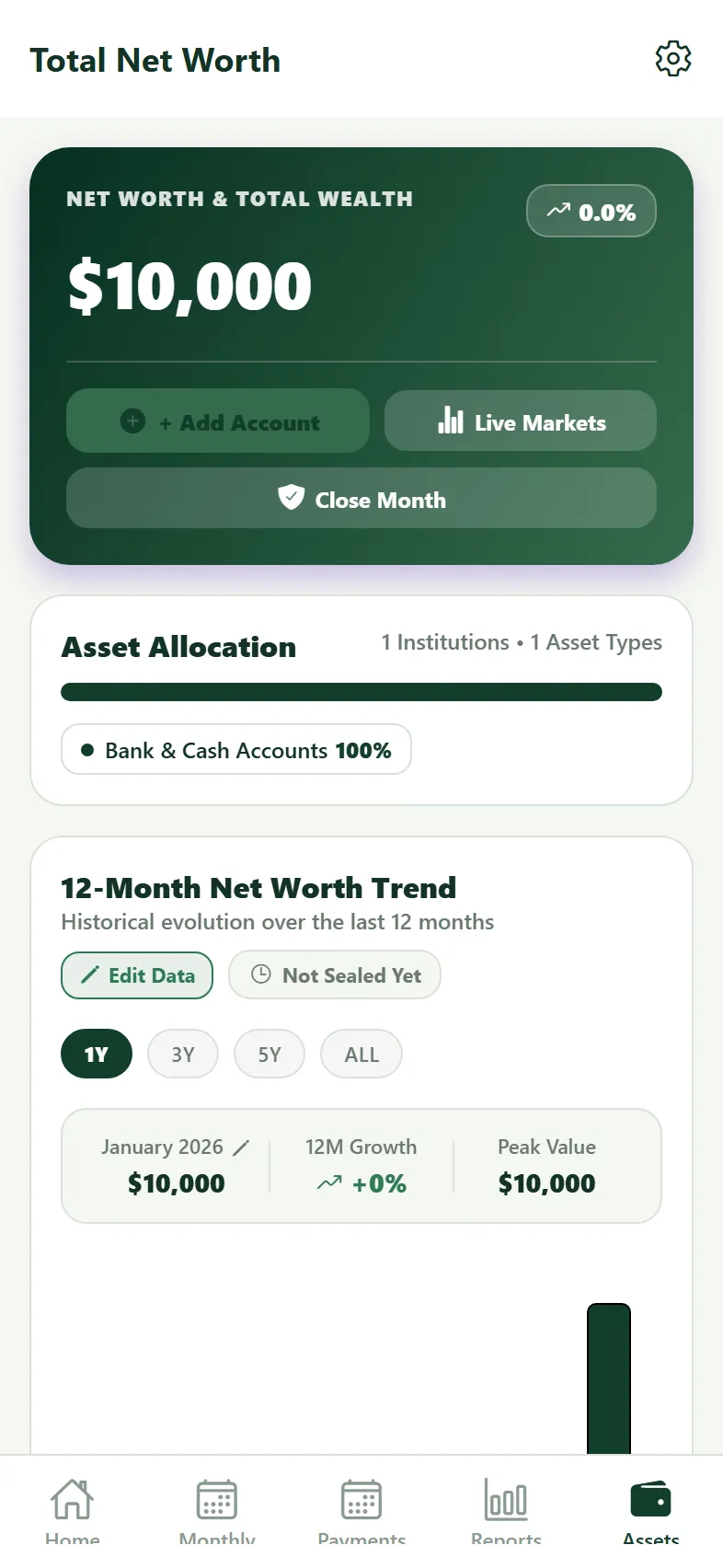
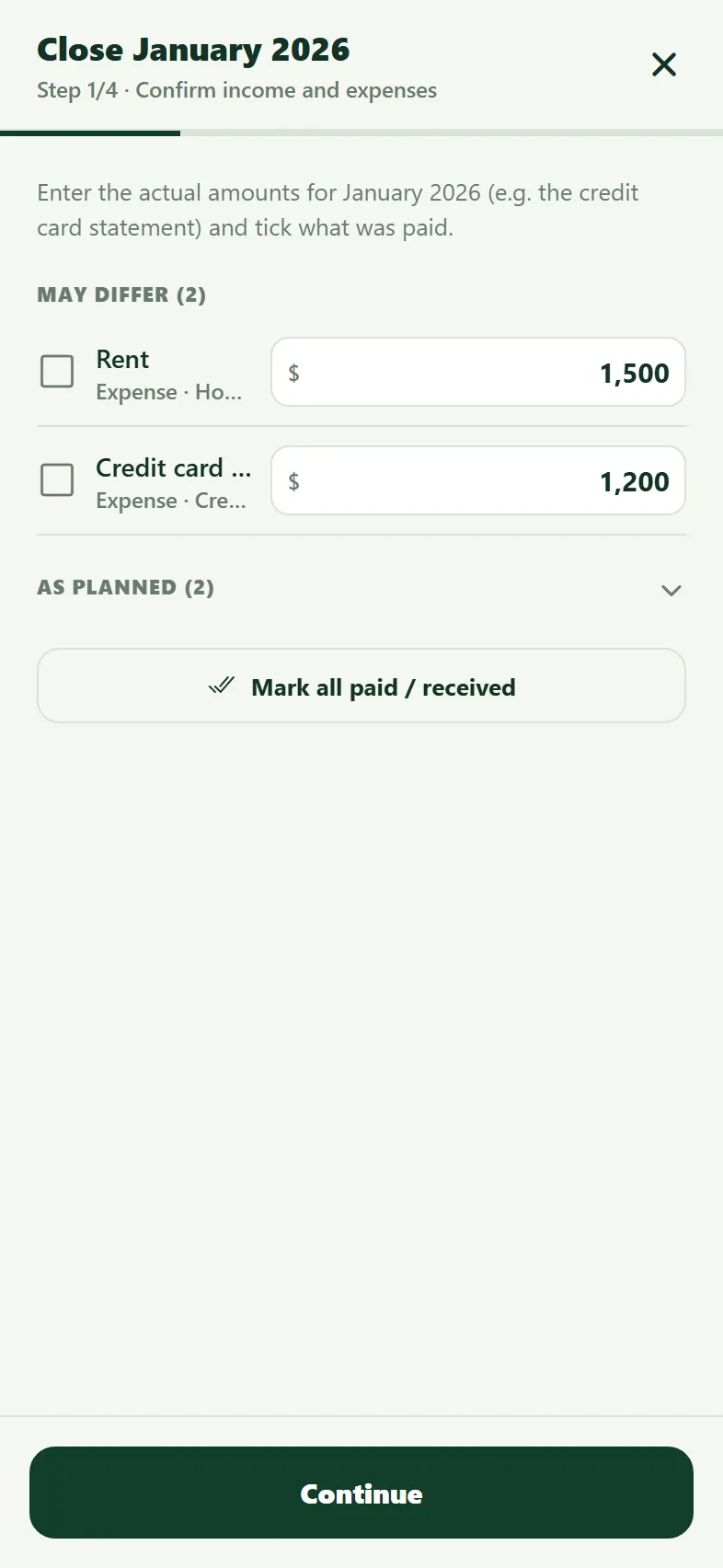
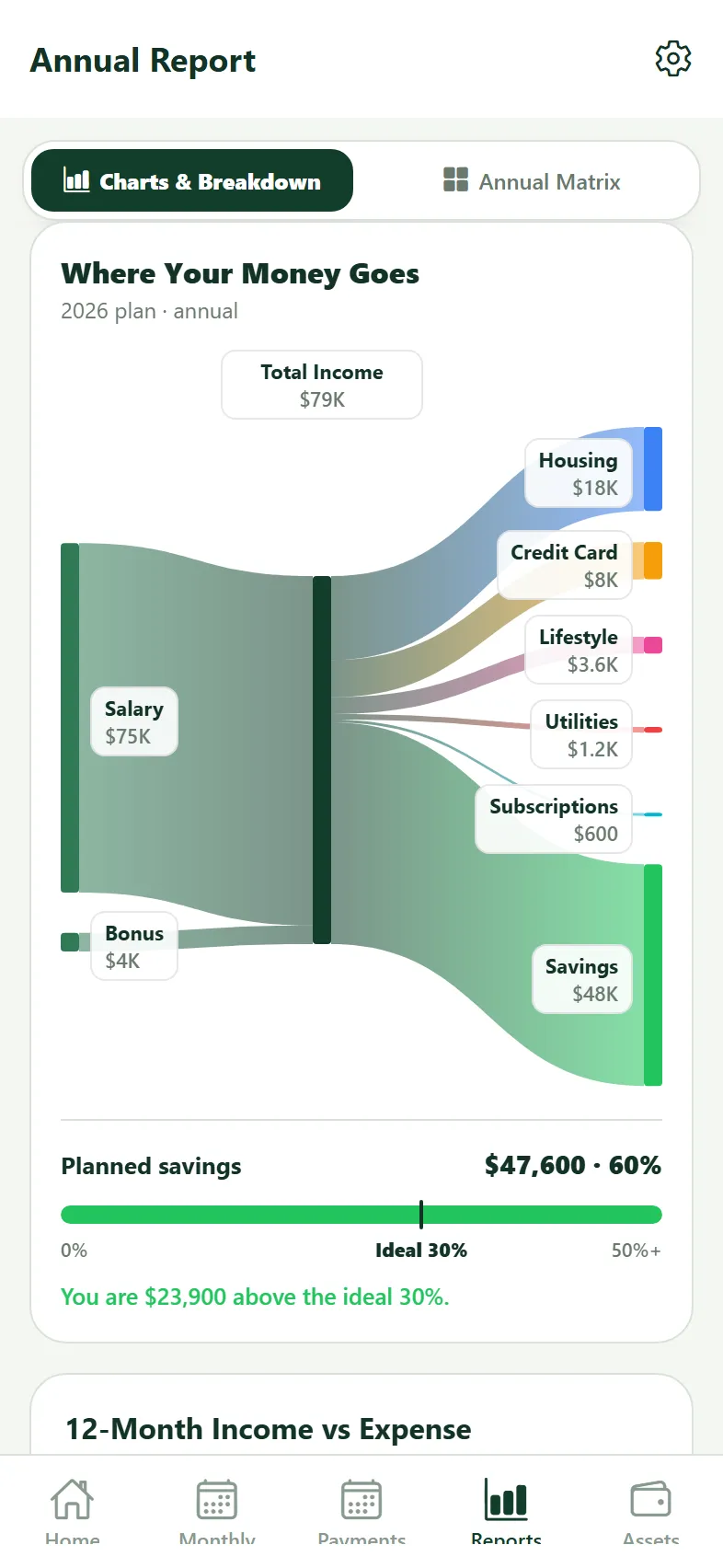
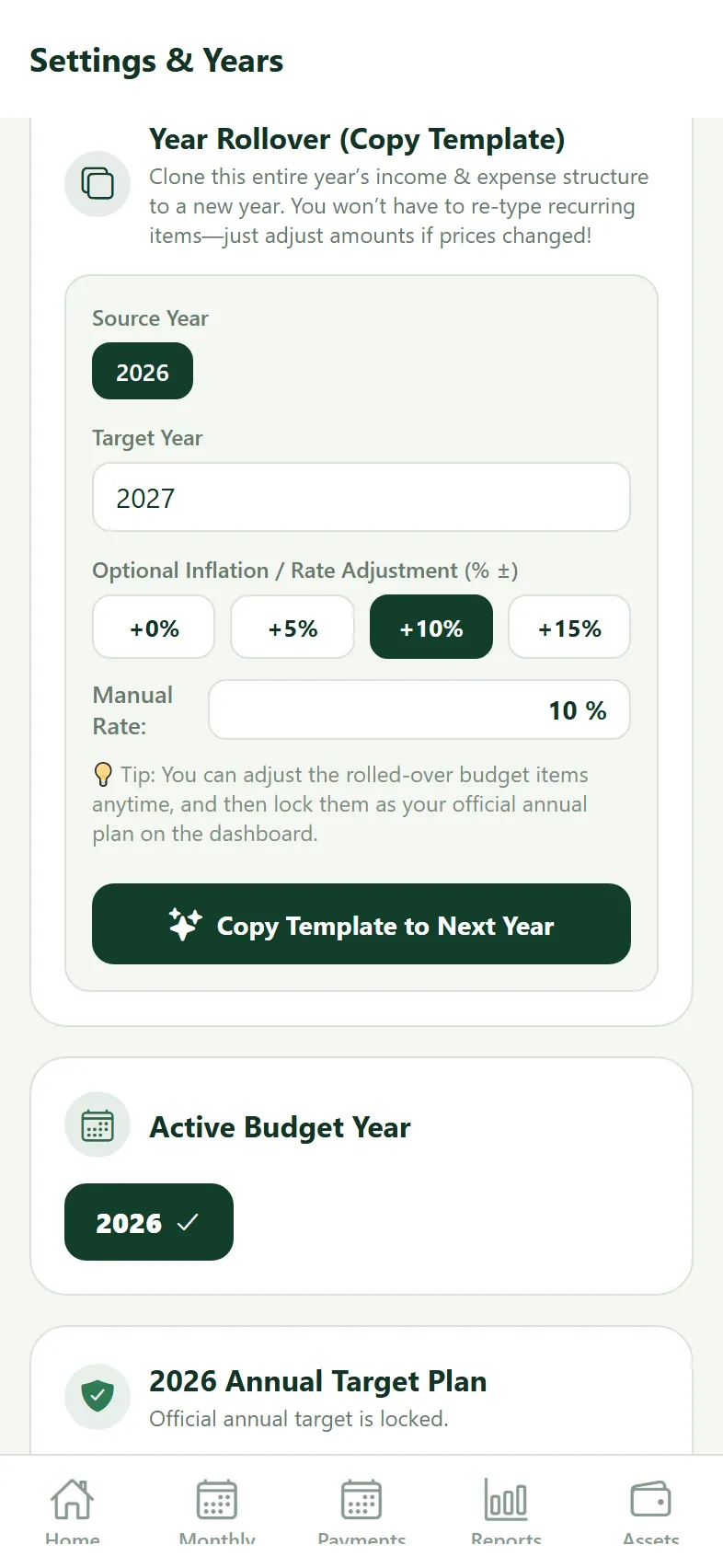
These are real app screenshots, captured with sample data. The fixed screenshot does not change when you edit the simulation.
Sample entries
No entries yet. Your first launch starts at zero.
Income → expenses → remainder
Schematic learning chart. Card details do not increase expenses: they split the statement into categories. “Remainder” here is income less cash expenses.
Assetra
Go further: how the features work
How do I track a budget without every receipt?
Plan recurring and seasonal items. Close card spending with one statement total, optionally breaking out important categories with Paid by credit card. Keep cash expenses separate. Do not count a statement and its purchases as two independent expenses.
Setting up reminders
Enable reminders in Settings and allow iOS notifications. Choose 1/2/3/5 days before manual payments. The manual statement is reminded, not each card-paid detail. Month-end reminders are local too. This simulation requests no permission and sends no real notifications.
Search, sort and hide completed
Search Monthly Budget by name; sort by due date, amount or unpaid first. Completed items are hidden by default in the current month; Show brings them back. Deleting can apply to just this month or the whole year.
Subscription start, cancellation and commitment
New subscriptions enter the budget from their starting month, not retrospectively. Commitment expiry is not cancellation. Pause preserves past months and removes future ones. Card-paid subscriptions count in subscription cost, but not twice in budget cash expenses.
Plan vs actual and Annual Matrix
Locking a plan creates a comparison baseline. Actual statements and salary changes update the current budget, not the locked baseline. Select an editing scope in a matrix cell. Home compares target and actual cumulative savings.
Cash flow vs cash needed
Cash flow shows the timing of income and expenses within a month; tap a day to inspect events. Cash needed sums open payments today, in 7 days and through month-end. Available cash plus upcoming income sufficiency is checked separately.
Wealth Bridge, currencies, gold and inflation
Opening + actual savings + value change = closing. Monthly/yearly views separate savings from asset revaluation. Display wealth in the base currency, USD, EUR or grams of gold; this does not change the budget’s base currency. Enter annual inflation to see real purchasing-power results.
Backups and changing phones
Automatic backups run at least weekly and after month-end close; the latest 12 are kept on-device. This path is iOS-only: Files → On My iPhone → Assetra → Backups. On Android, automatic backups are in the app’s own folder and restored from Settings. For an off-device copy, use Settings → Backup / Export JSON, then restore the file on the new device. iCloud sync between iPhone and iPad is optional (iOS only, turned on in Settings). Backup files are separate copies from sync.
Themes, language and iPad
Settings offers Classic Blue, Classic Green, FinTrack or Noir with light/dark/system appearance and TR/EN language. iPad uses the wider space.
Live rates
Assets → Live Markets → Apply to Assets. Each rate comes from its own source; if one source does not respond, rates from the other sources are still applied. No bank connection is made.
Privacy and live prices
Budget records stay on-device, with no bank connection or user account. Public market services supply live prices; personal budget records are not sent with those requests. This guide keeps temporary sample data only, without sending it to a server or persisting it in browser storage.