Your personal CFO
Run your money like a CFO .
CFO · Chief Financial Officer
Plan. Save. Watch your wealth grow.
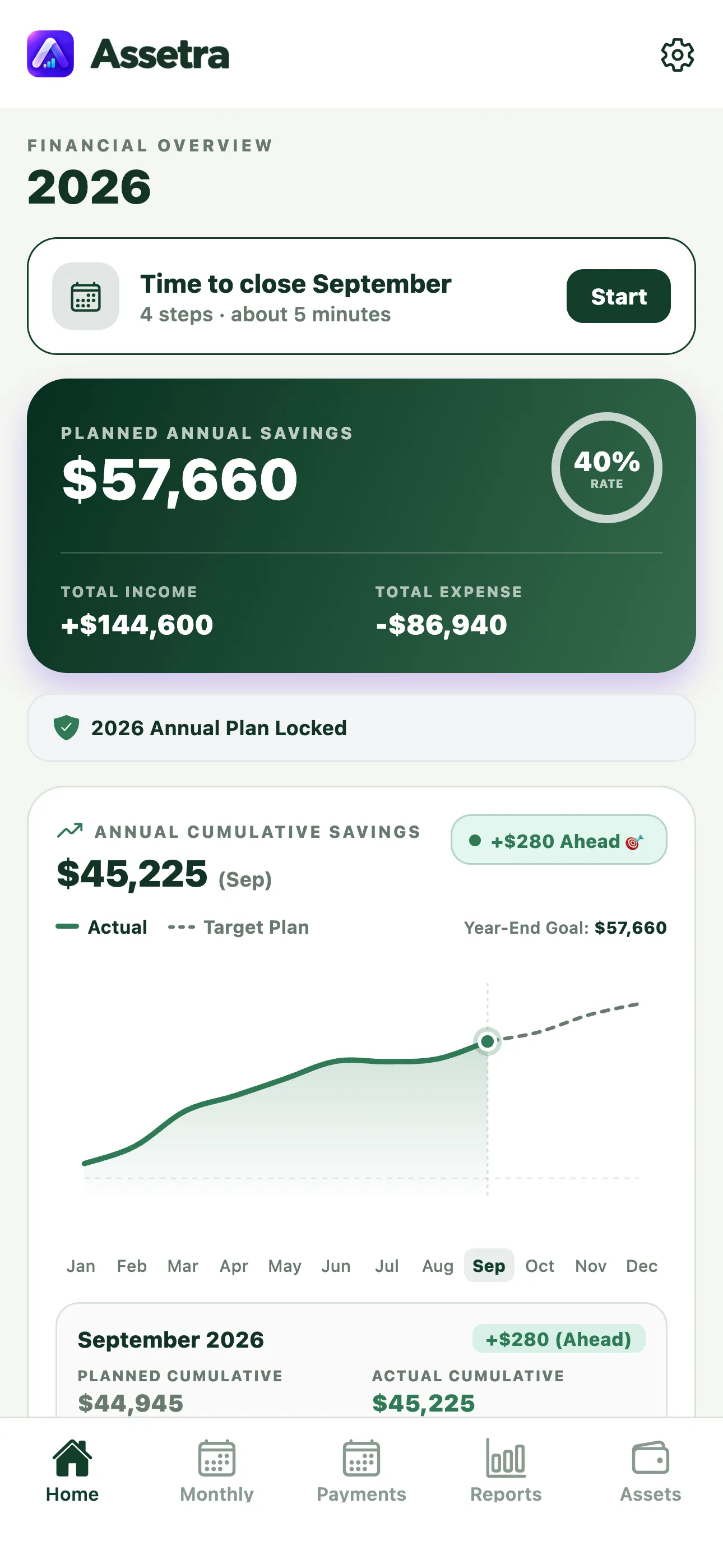
Bring your income, expenses, recurring payments, and assets into one clear view. Plan your 12-month budget and record each month’s results in a few guided steps.
- No Assetra account
- No bank connection
- No ads or tracking
Behind the name
Assetra = Asset Radar & Analytics
Your financial life, on your radar.
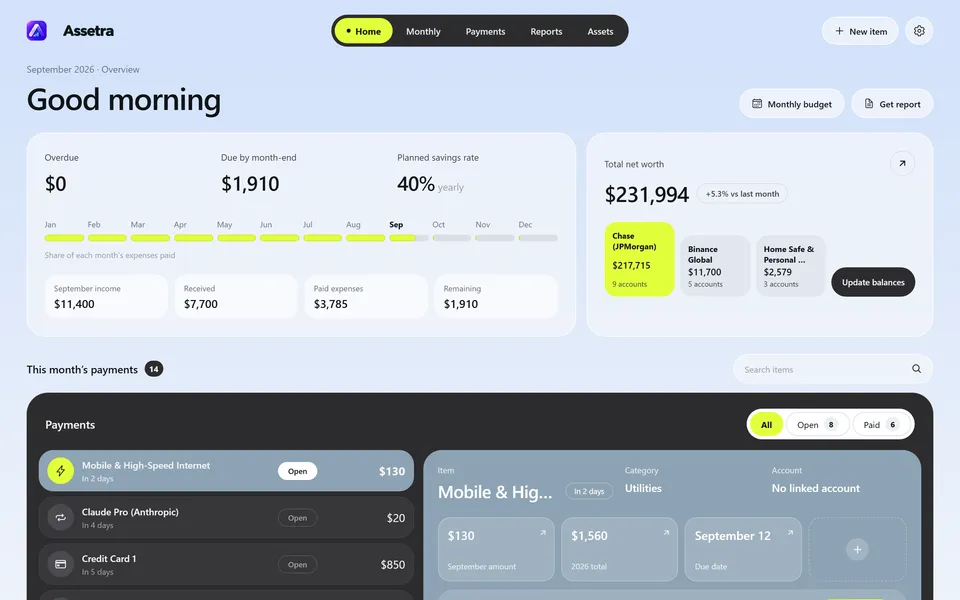
Assetra is your personal financial radar—bringing income, expenses, assets, and recurring payments into one clear view.
MyAssetra means “My Asset Radar & Analytics.”Appearance
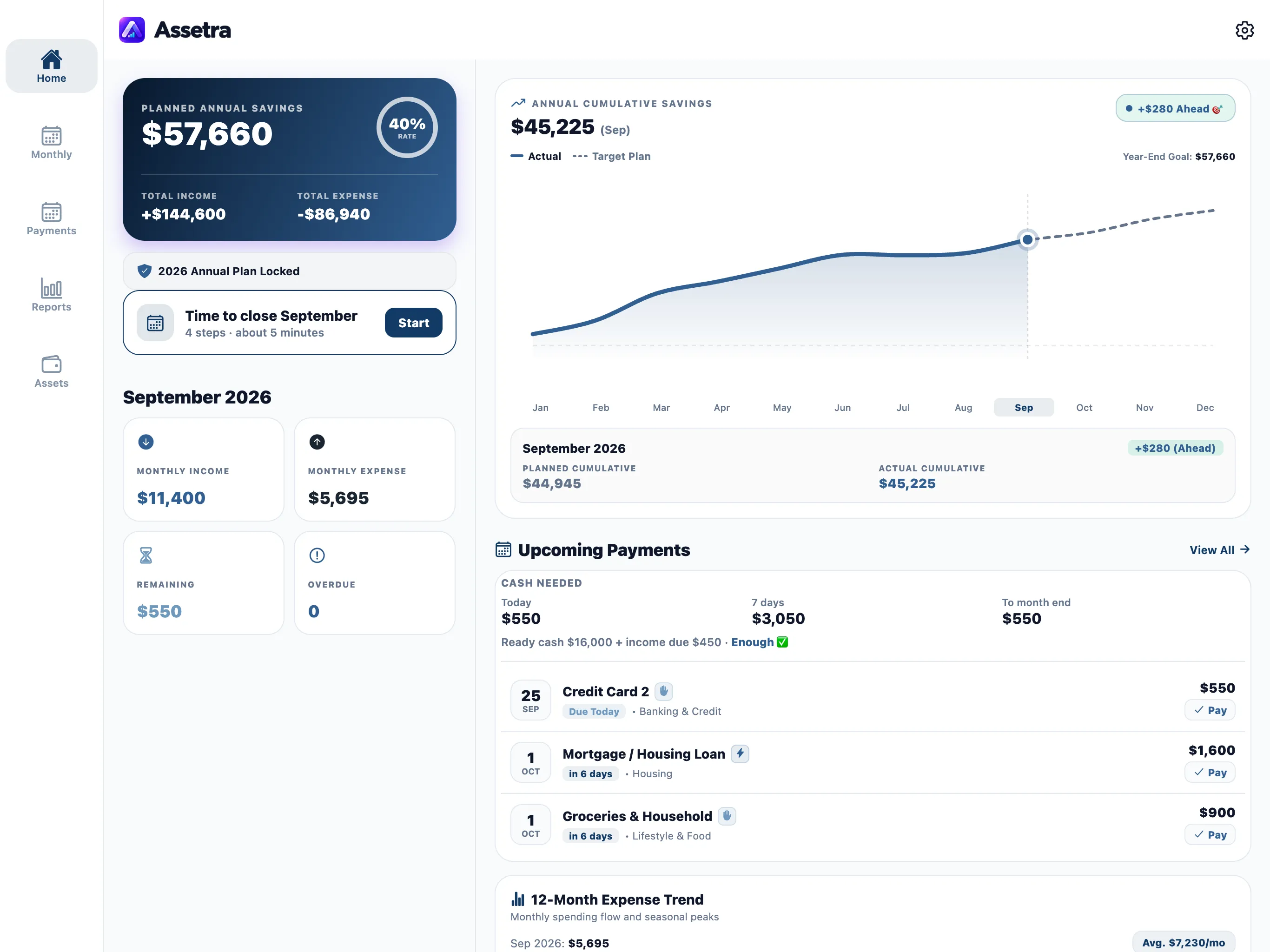
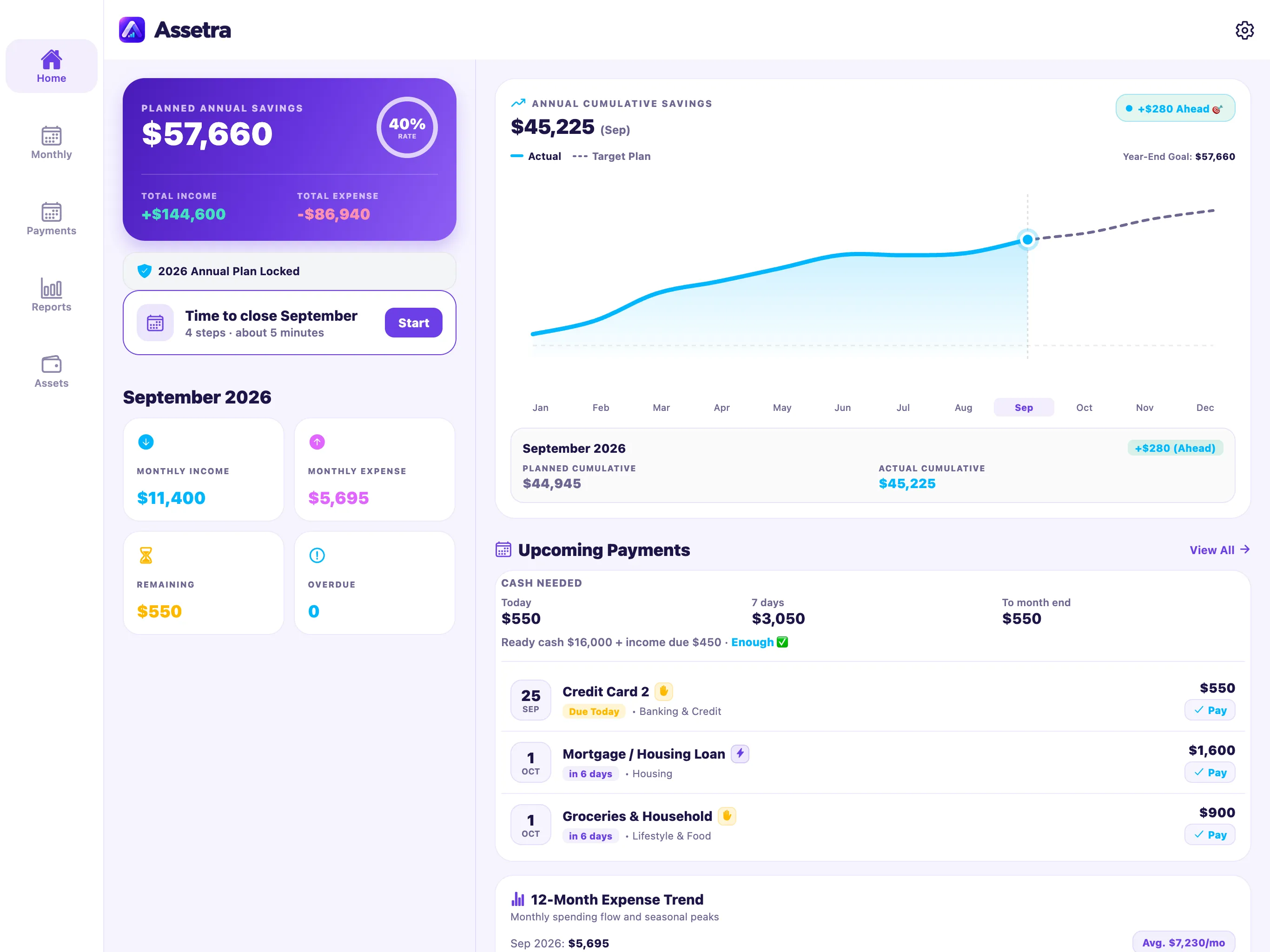
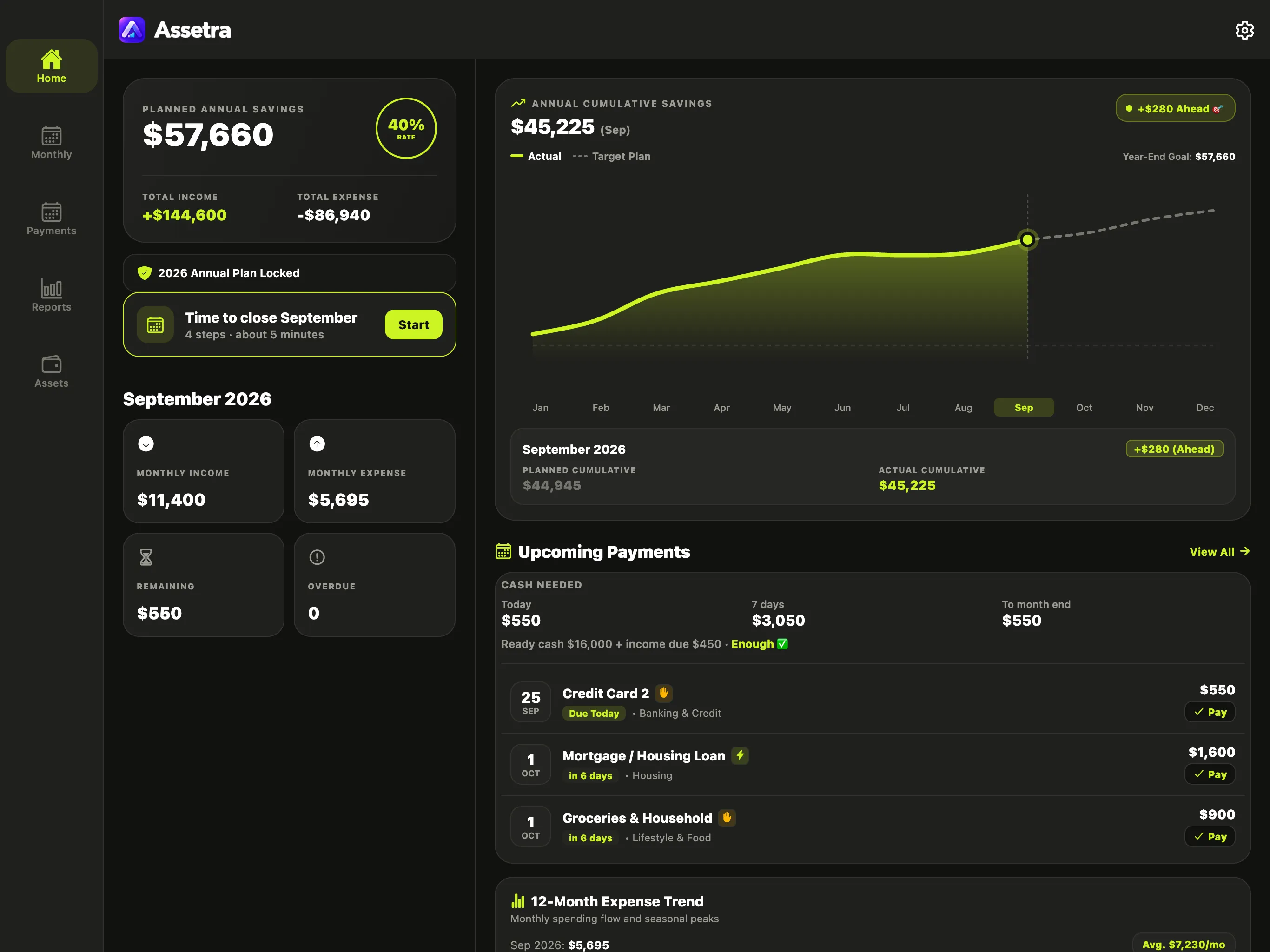
Your financial system. Your visual language.
Choose from four distinct visual systems. Your budget and data stay the same; only Assetra’s character changes.
Every theme supports light, dark, and system appearance.
January · once a year
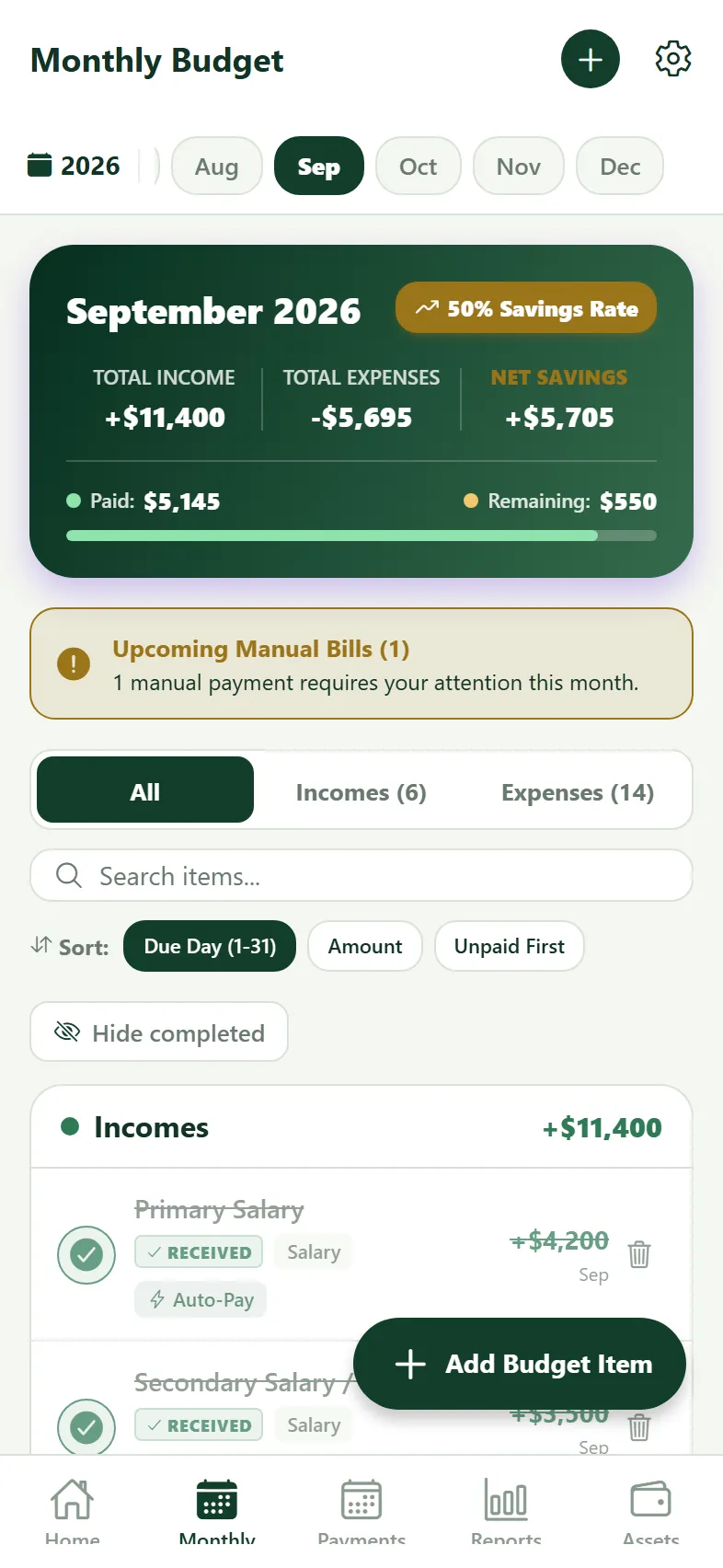
Plan the year once.
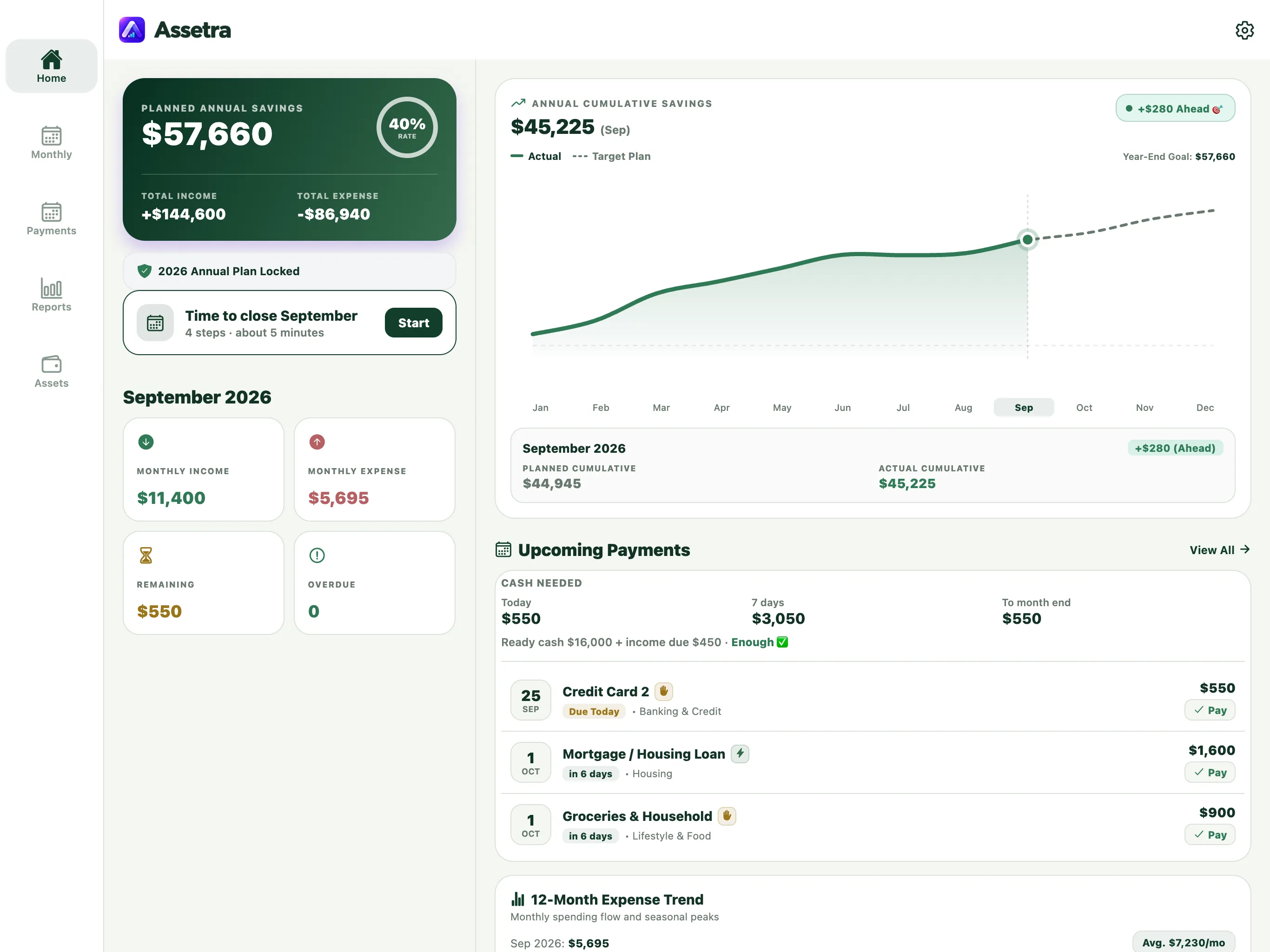
Add salary, rent, loans, bills, and seasonal costs at the start of the year. You know what you can save before the year unfolds.
- Selected months: Put insurance, taxes, and annual bonuses in the months where they belong.
- Through year-end: Apply a pay raise to every remaining month in one step.
- Automatic completion: A recurring income or expense is marked complete automatically when its date arrives.
- Manual follow-up: When a payment needs your action, Assetra reminds you as it approaches and keeps it open until you confirm it.
- Annual Matrix: See the whole year on one screen and edit any cell.
- $300 ahead: Home shows the gap between your plan and actual results.
Made for iPad
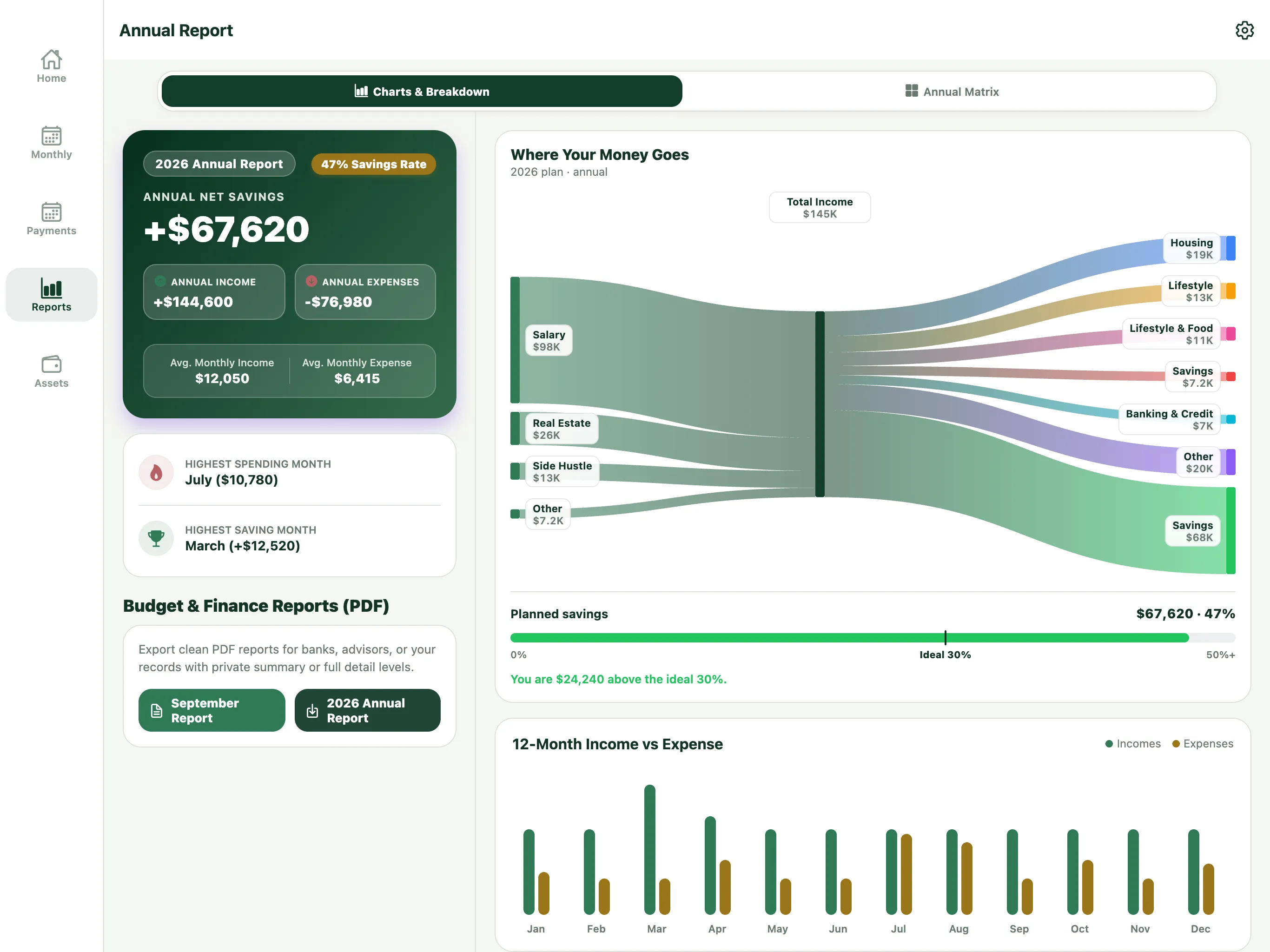
See the whole year on a wider canvas.
Assetra does more than scale up on iPad. It uses the extra space to bring reports, annual planning, and the 12-month matrix together.
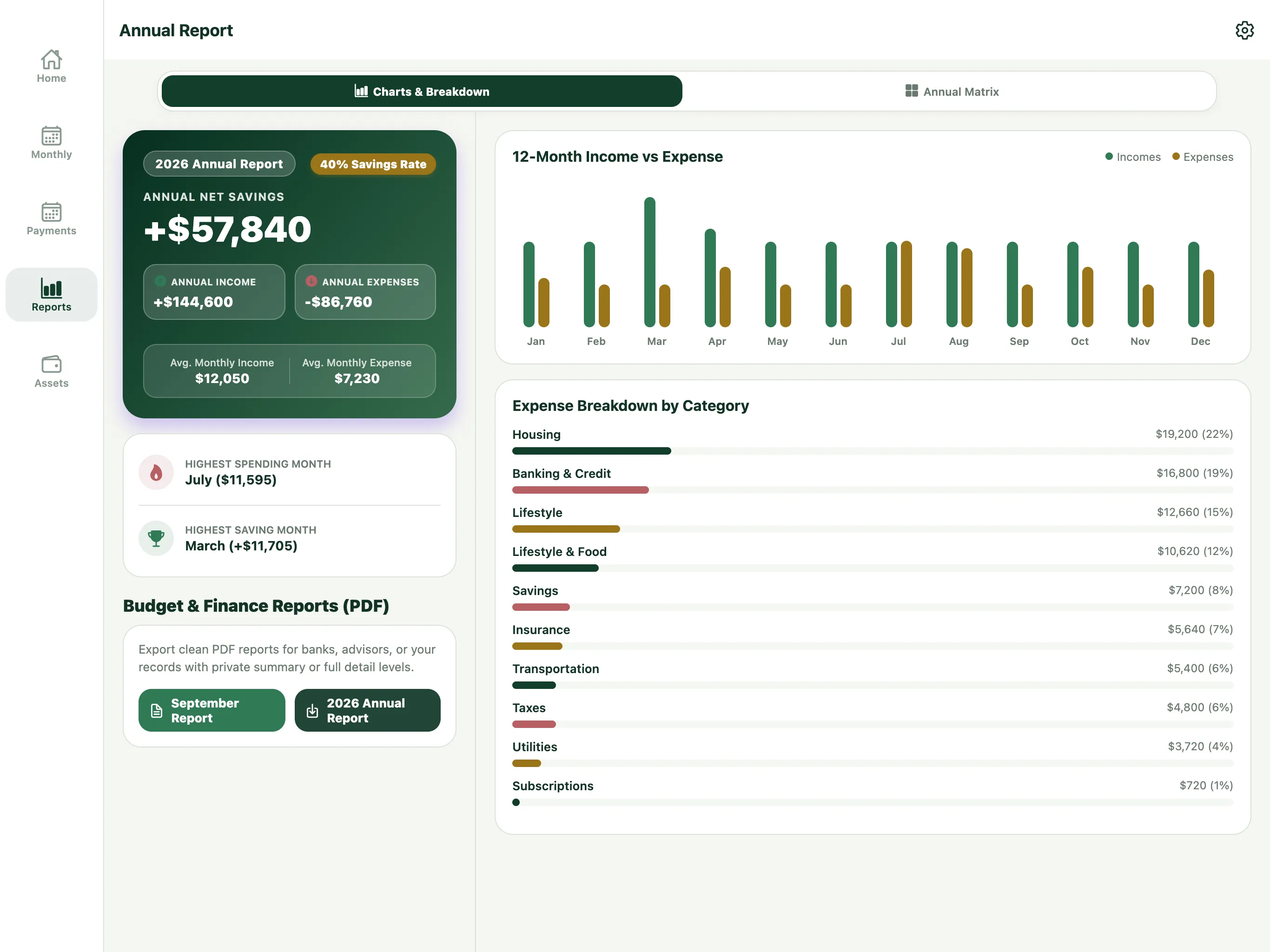
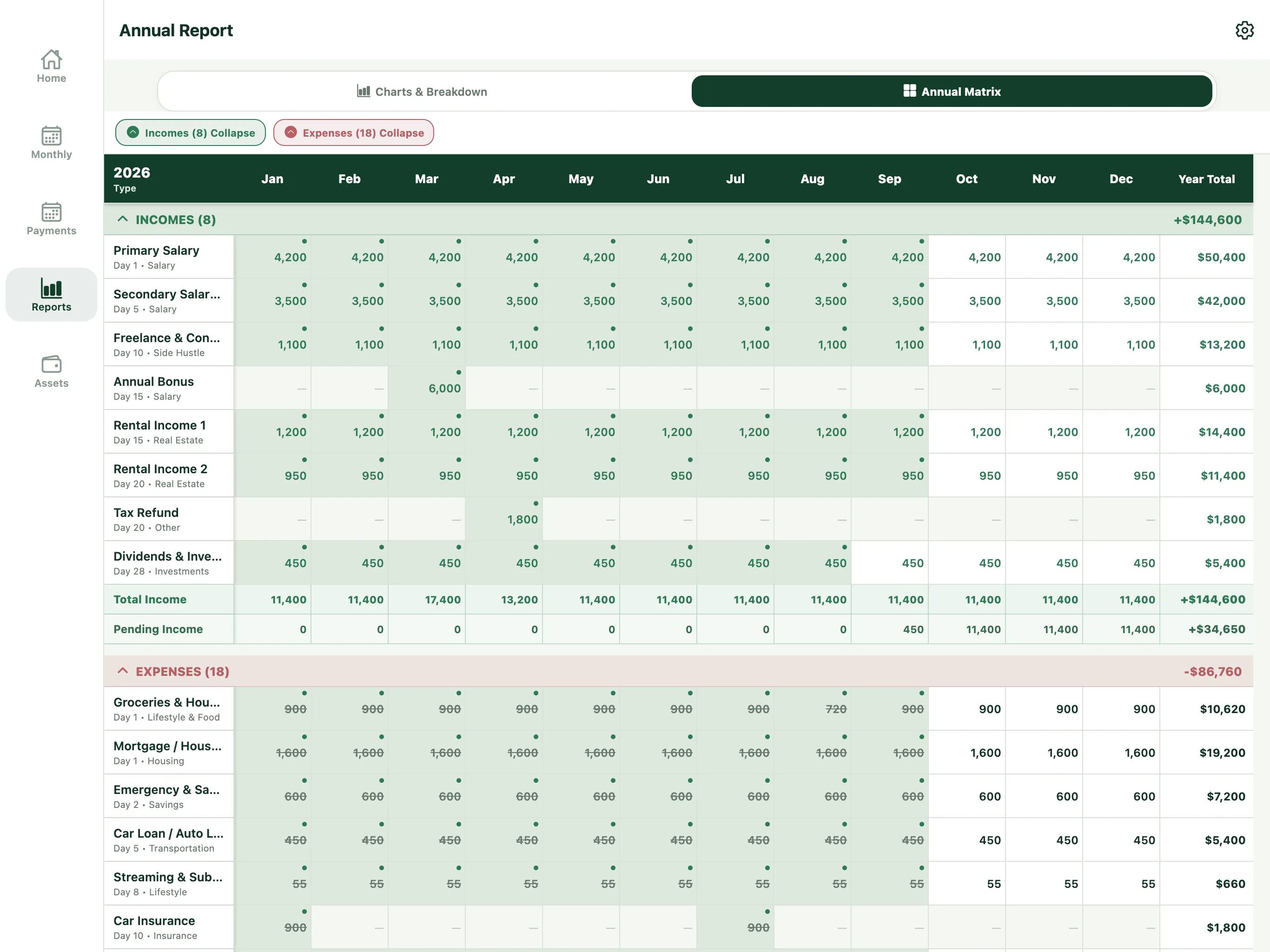
Real Assetra iPad screens · sample data
Every month · day by day
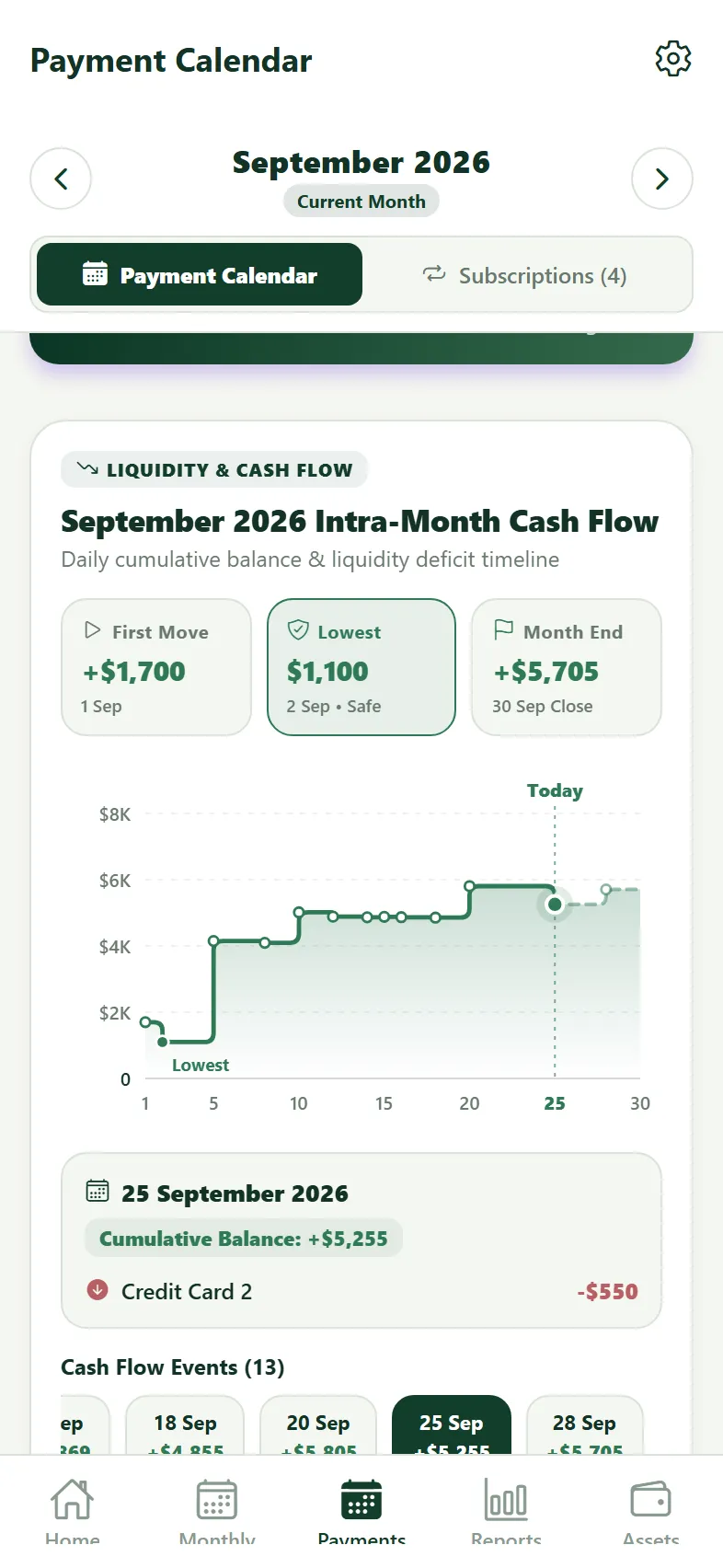
Know when cash gets tight.
See when money comes in, when it leaves, and the day your balance reaches its lowest point before the month begins.
- See the cash needed today, in seven days, and through month-end.
- Know whether cash on hand and incoming income cover upcoming payments.
- Separate overdue, automatic, and manual payments.
Every month · small amounts
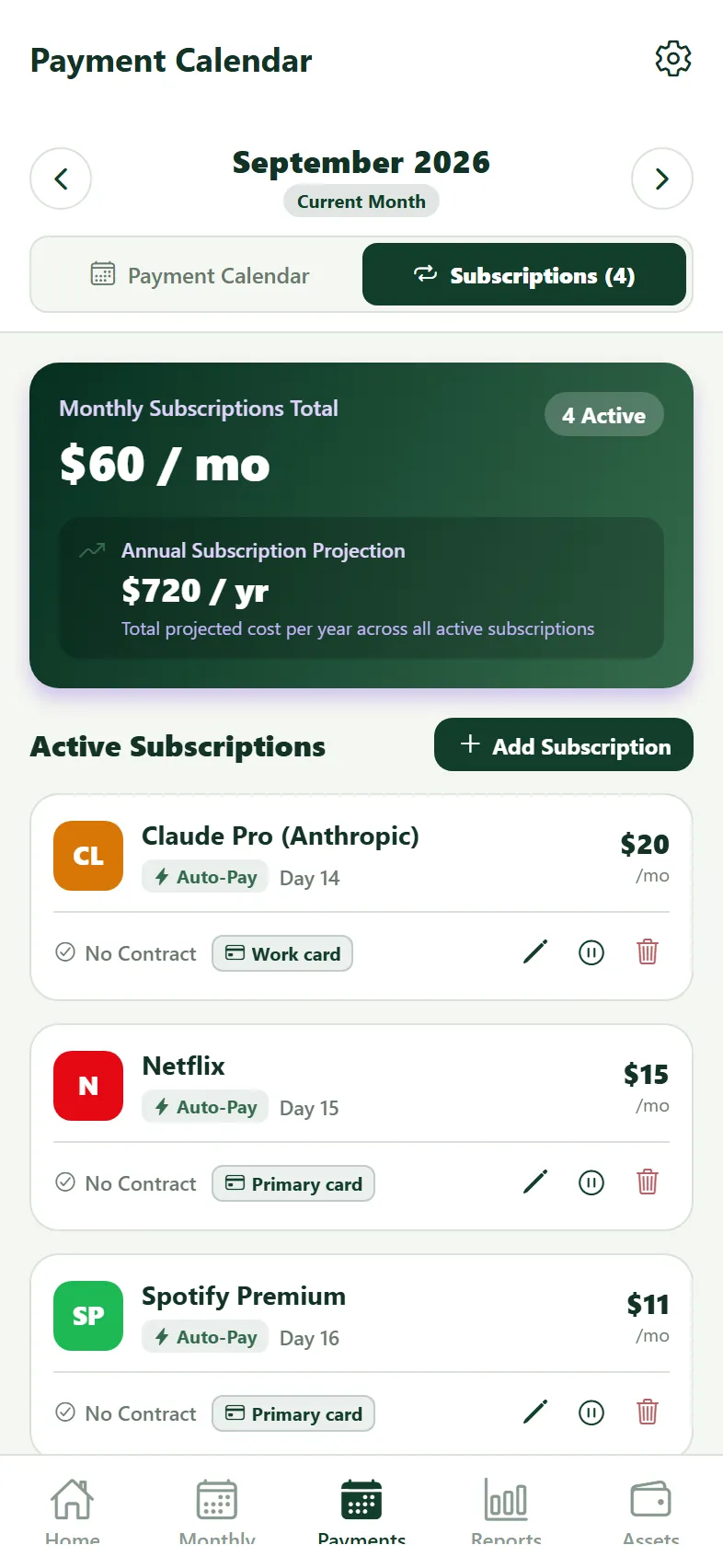
See the annual weight of subscriptions.
Small monthly charges become meaningful over a year. Assetra also keeps contract end dates in view.
- Get a reminder 30 days before a commitment ends.
- Keep past months intact when you pause a subscription.
- Add it once and see it in both subscriptions and your budget.
Month-end · regular review
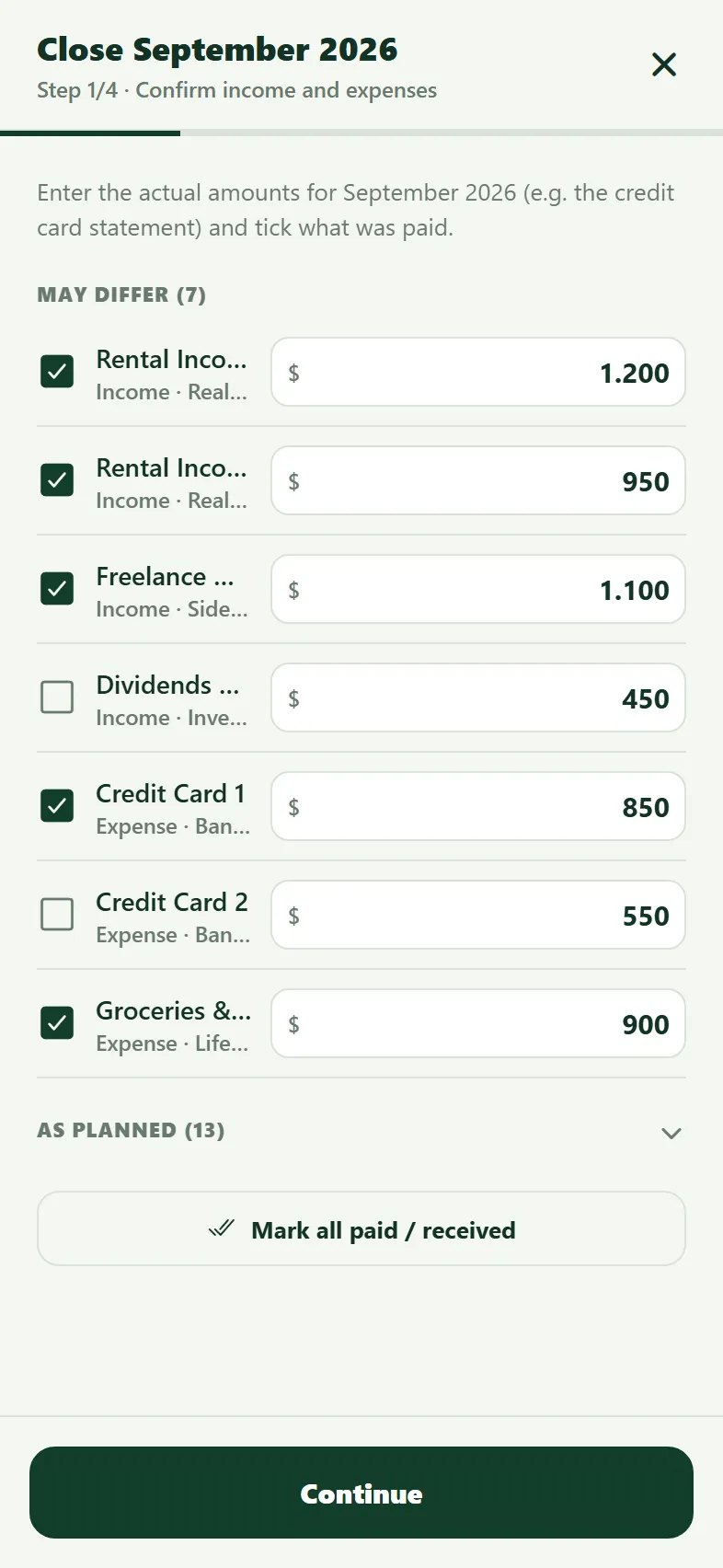
Close the month with one statement line.
Do not log 40 individual card purchases. Enter the statement total once, update balances, and seal the month.
- Review income and expenses
- Update asset balances
- Seal and close the month
- See the result
| Opening wealth | $164,604 |
| + Actual savings | +$3,081 |
| + Value change | +$5,582 |
| = Closing wealth | $173,267 |
Real result +$1,910 (1.1%) · Beating inflation
- A reminder on the first day of the month
- An on-device backup after every close
Annual report · money flow
Where does your money go? See it at a glance.
See where your annual income comes from, where it goes, and how much remains as savings in one clear flow.
Salary, rent, and bonuses enter from the left. Housing, credit, and everyday spending branch to the right, with savings at the bottom. Each connection is sized to its amount, so your biggest budget items stand out without scanning a table.
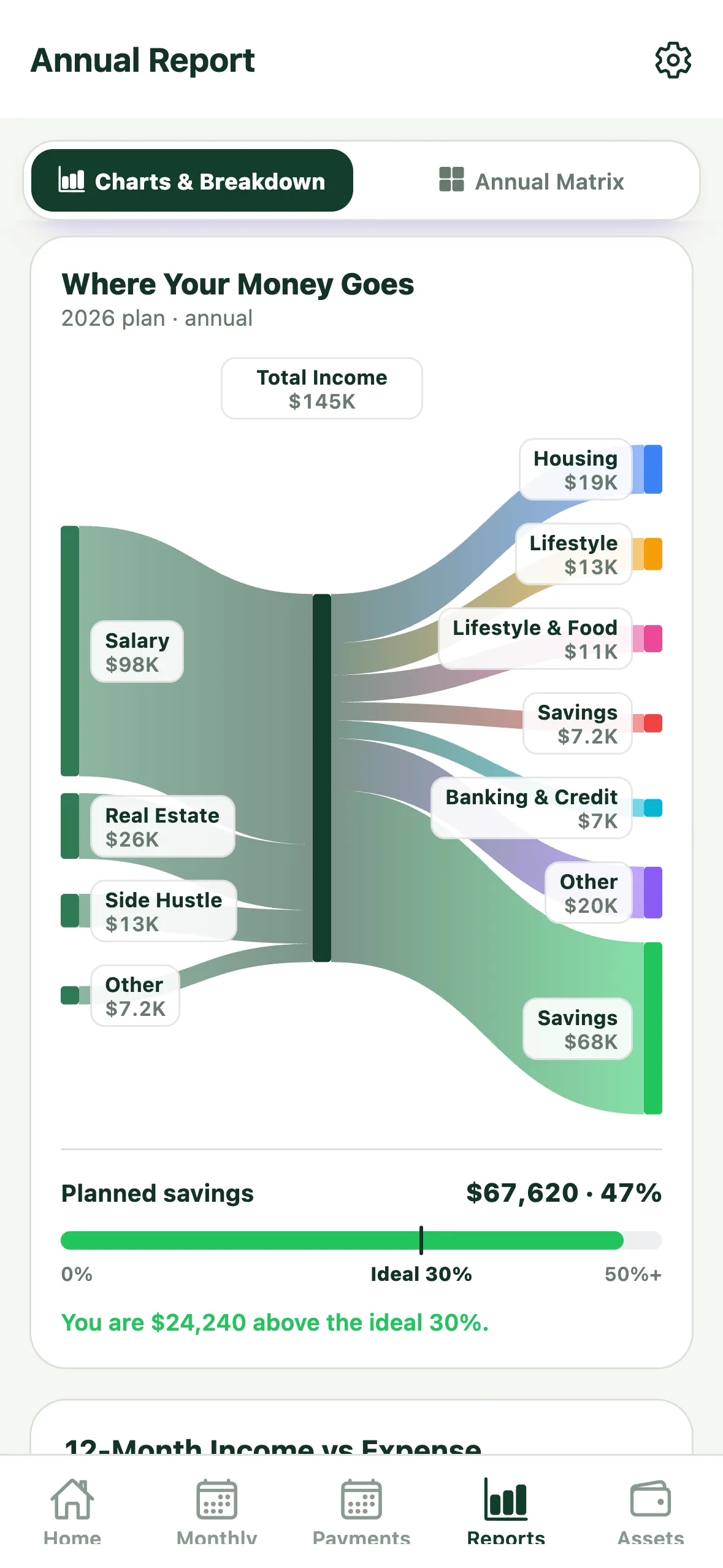
Card spending stays visible
Expenses marked “Paid by card” remain in their own categories and are counted only once, not again with the statement.
Compare with the ideal 30%
See your planned savings rate alongside 30% of your income, plus the amount by which you are above or below that benchmark.
Included in your PDF report
The same flow appears in your annual PDF, ready to share with your family or accountant.
Your data stays on your device
No bank connection or account is needed. The chart is created on your device from the plan you enter.
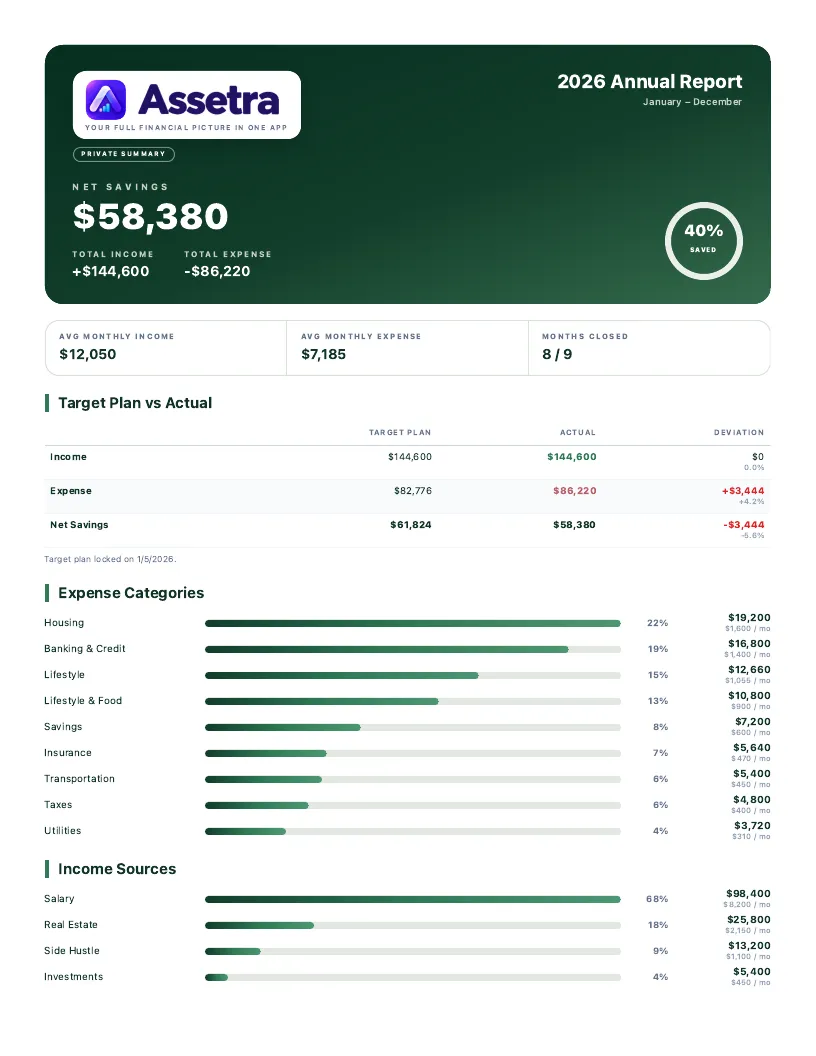
PDF reports
A report that is ready to share.
Export monthly or annual results as a concise summary or a detailed PDF.
Core totals, savings rate, and trends across three concise pages.
Four pages with category breakdowns, monthly comparisons, and item-level detail.
The report is created on your device. You decide where to save it and who to share it with.
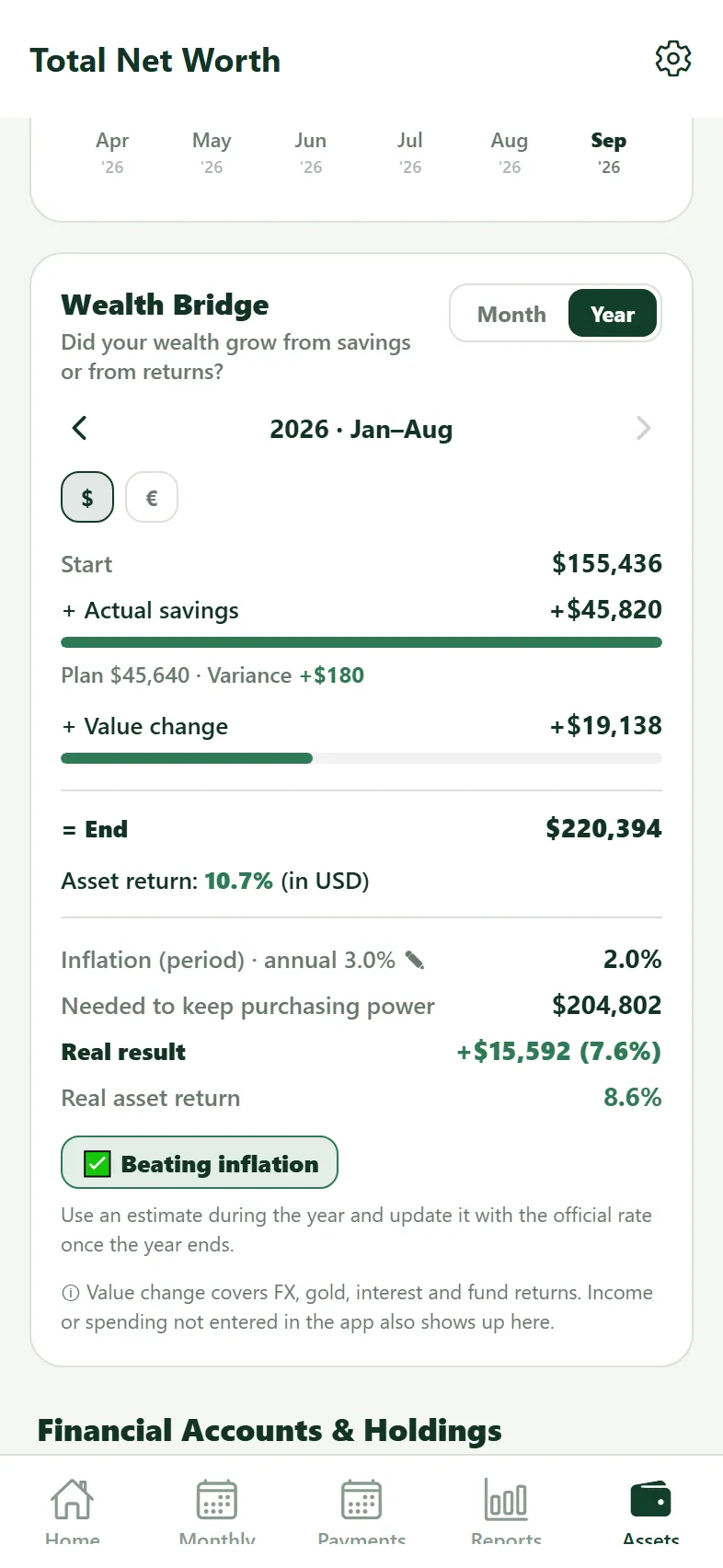
January–August 2026 · Wealth Bridge
Did your wealth grow from savings or rising values ?
Account for every dollar between the start and end of a period: what you saved, what your holdings earned, and whether the result stayed ahead of inflation.
Purchasing-power threshold: $159,750
Beating inflation. View the same bridge in $, €, ₺, or grams of gold.
December · next year’s plan
Do not rebuild next year from scratch.
Enter your inflation estimate and bring the budget forward. Subscriptions keep their current price, paused subscriptions stay behind, and the previous year remains unchanged.
Privacy
Your records stay up to date across your devices.
- No accountno email or password
- No bank connectionnever moves money
- No ads or trackingno analytics software
- Data on your deviceno Assetra server
- iCloud syncOptional, iPhone and iPad
- App lockOptional, Face ID / fingerprint
- Backups are yoursyou choose where to export them
Live exchange-rate and metal-price requests contain no personal or financial information.
Access
Pay once.
Try it free for 30 days. Then unlock lifetime access with one payment. No subscription.
Common questions
Before you start.
What does Assetra mean?
Assetra is short for “Asset Radar & Analytics.” It is designed as your personal financial radar for income, expenses, assets, and recurring payments.
Will I be charged automatically when the 30-day trial ends?
No. The trial is free, does not renew automatically, and creates no charge. If you want to continue, you can purchase lifetime access separately with one payment.
Is Assetra a subscription?
No. There is no monthly or annual subscription. After the free trial, Assetra offers lifetime access with a single purchase.
What is the difference between automatic and manual tracking?
An income or expense set to automatic is marked complete when its date arrives. For manual items, Assetra reminds you as the date approaches and keeps the item open until you confirm it.
Why do I not enter every purchase or receipt?
Assetra is designed as an annual planning and month-end results tool, not a daily transaction ledger. Plan recurring income and expenses once, then close grouped spending such as a card statement with a single month-end entry. This keeps the focus on plan versus actual, cash flow, and changes in wealth instead of receipt logging. Important one-off expenses can still be planned separately.
How can I see my spending in more detail?
You can add any expense as a separate item. For example, record a holiday payment in the Travel category. If you paid by card, select “Paid by credit card” and also record the full card statement total. The holiday expense is then counted only once and shown separately under Travel in the “Where Your Money Goes” chart.
Can I track expenses without entering lots of items?
Yes. You choose the level of detail. For example, you can combine your subscriptions into one expense item instead of entering each separately. If you pay by credit card, recording just the statement totals is enough; you do not need to enter every purchase within them. You can still track total expenses, but spending you do not enter separately will not appear in its own chart category. Do not add subscriptions already included in a card statement as separate cash expenses, as that would count them twice.
Why are some expenses missing from the payment calendar?
Expenses marked “Paid by credit card” do not appear separately in the payment calendar. They are included in your card statement, so you do not need to set aside cash on the purchase date. Record the card statement as a separate expense item to track its payment amount and date. This places the cash requirement on the statement payment date rather than the purchase date.
Does pausing a subscription in Assetra cancel the real subscription?
No. This only changes tracking in Assetra: past records stay intact and future subscription entries are removed. You must cancel the real subscription separately with the service provider.
Does Assetra connect to my bank?
No. It does not connect to banks, import transactions, or move money.
Do income and expense entries update my asset balances automatically?
No. Budget entries describe your plan; they do not transfer money to bank or asset accounts. You update actual balances yourself in Assets or during month-end close. Money you have saved in those accounts is already included in their balances, so you do not need to add the savings amount again. Assetra uses the closing balances to show how much of the change in your wealth came from savings and how much came from changes in asset value.
Is the savings shown in my budget the money in my bank account?
No. Budget surplus is the difference between the income and expenses you entered; it is not your bank balance. To see your actual accumulated wealth and changes in asset value, also update your balances in Assets.
Where is my financial data stored?
Your budget, payment, and asset records are stored on your device. iCloud sync between iPhone and iPad is optional (iOS only, turned on in Settings). Assetra does not require an account or send your financial records to an Assetra server.
Can I export reports?
Yes. You can create monthly or annual results as a summary or detailed PDF, then save or share the file wherever you choose.
Can I change my budget during the year?
Yes. Edit any month in the Annual Matrix or apply a change, such as a pay raise, to every remaining month in one step.
What if my actual spending differs from my plan?
At month-end close, you can replace an estimated amount with the actual amount. For example, if your card statement is higher than expected, enter the real statement total. You can then see the difference between your plan and the actual result.
Do I have to enter every item again at the start of each year?
No. In Settings → Year Rollover (Copy Template), you can copy the past year’s budget into the new year with an increase rate based on your expected inflation. Then make small adjustments to income and expenses to plan how much you could save in the year ahead. The previous year’s records stay unchanged; subscriptions carry over at their current prices.
Can I use Assetra on iPad?
Yes. The iPad version uses the wider workspace to bring annual planning, reports, and the 12-month matrix together.
Is there an Android version?
Yes. Assetra for Android is available on Google Play.
Can I change my main currency?
Your main currency is selected during setup and cannot be changed later. You can still review wealth in $, €, ₺, or grams of gold.
How do I move my data to another phone?
First export a JSON backup from Settings and restore it on the new device. Android-to-Android and iOS-to-Android transfers use JSON backups. iCloud sync between iPhone and iPad is optional (iOS only, turned on in Settings).
Can I recover my data if I lose my phone?
If you have a backup stored outside your phone, you can restore it on a new device. Export a backup from Settings and save it somewhere secure that you can access without your phone, such as iCloud Drive. Automatic backups stored only on the device are not enough on their own if the phone is lost.